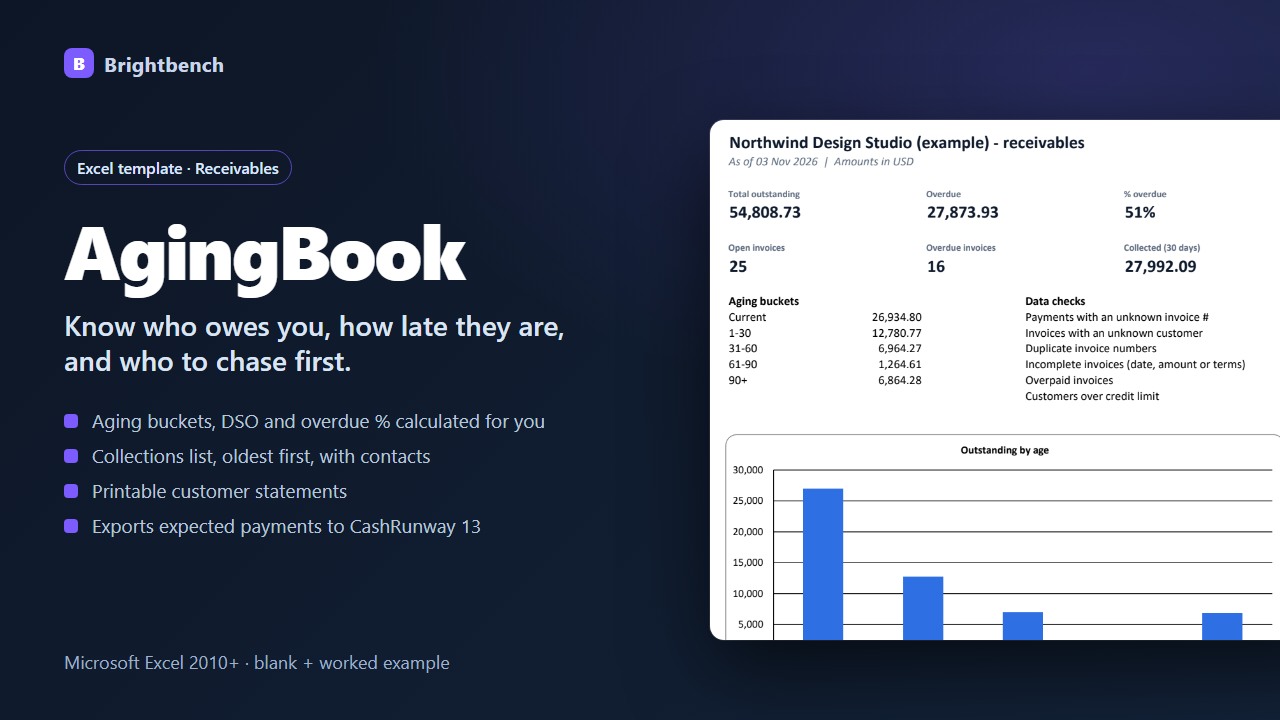
What it does
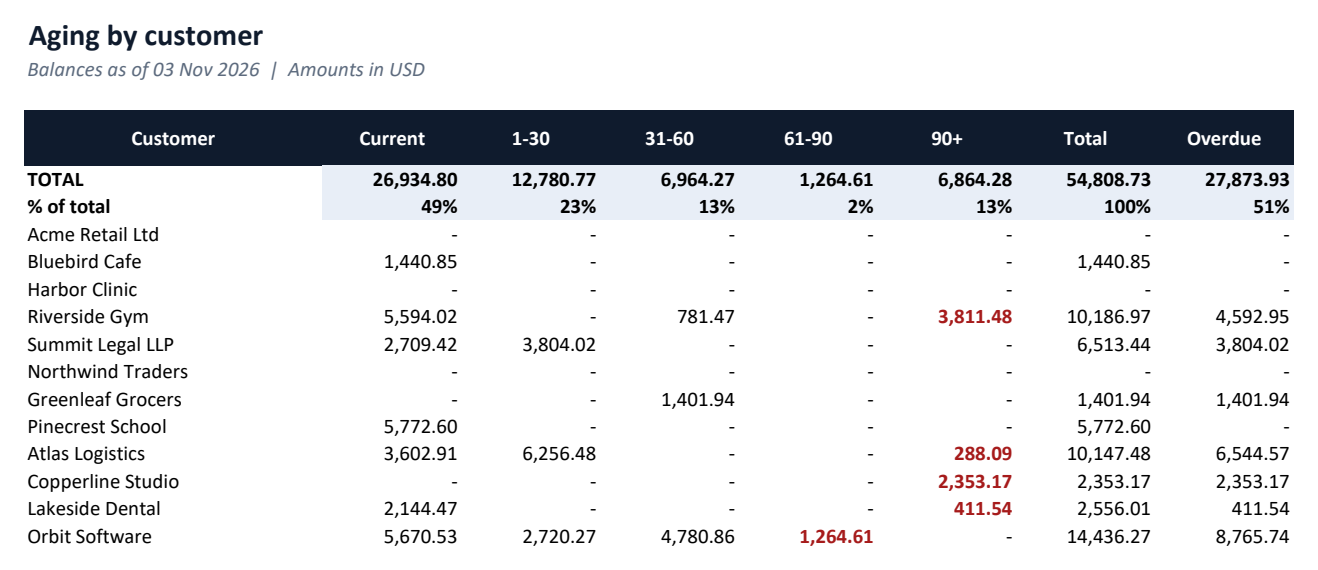
Aging report
Balances per customer in Current, 1–30, 31–60, 61–90 and 90+ day buckets.
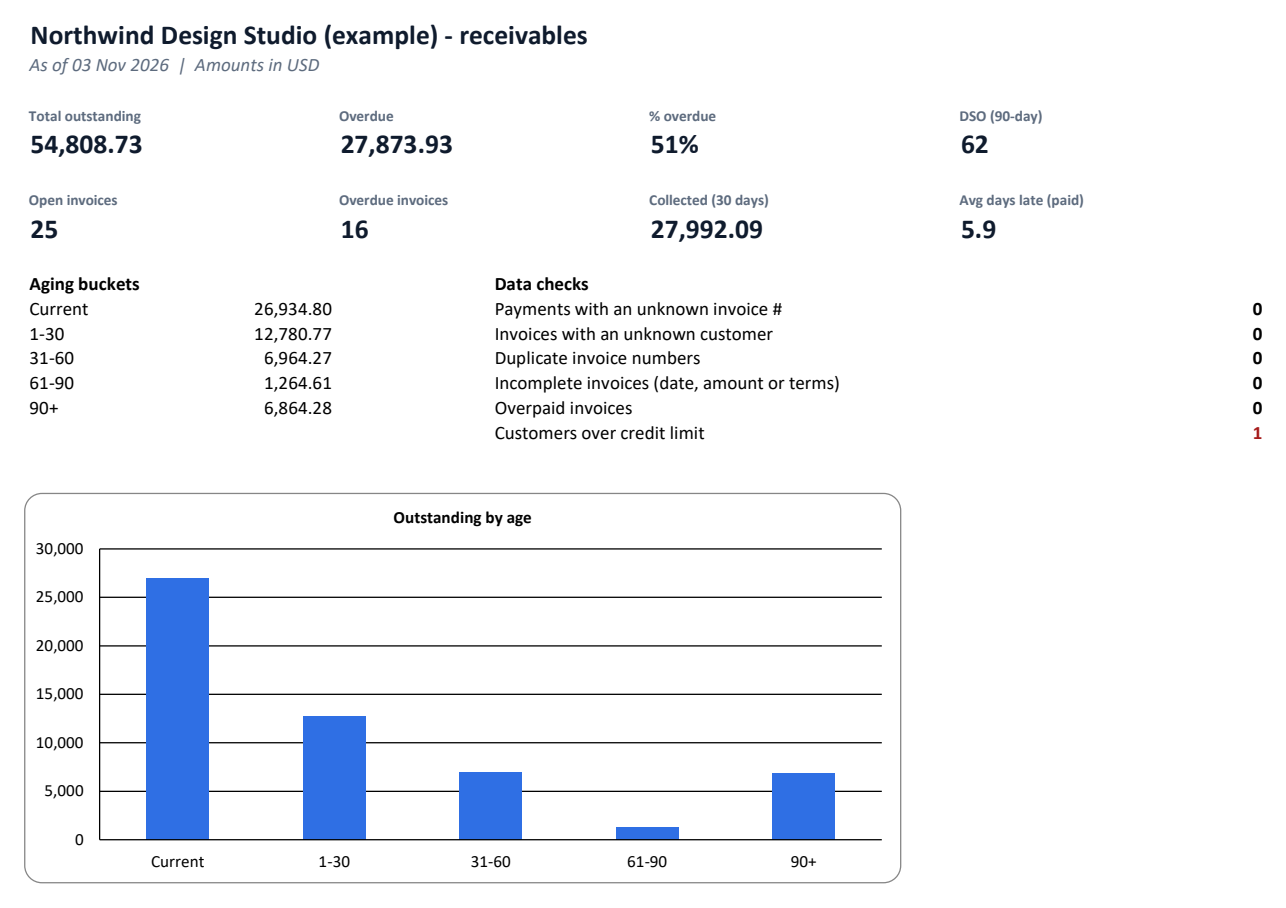
Receivables dashboard
Outstanding, overdue %, DSO, cash collected, average days late and an aging chart.
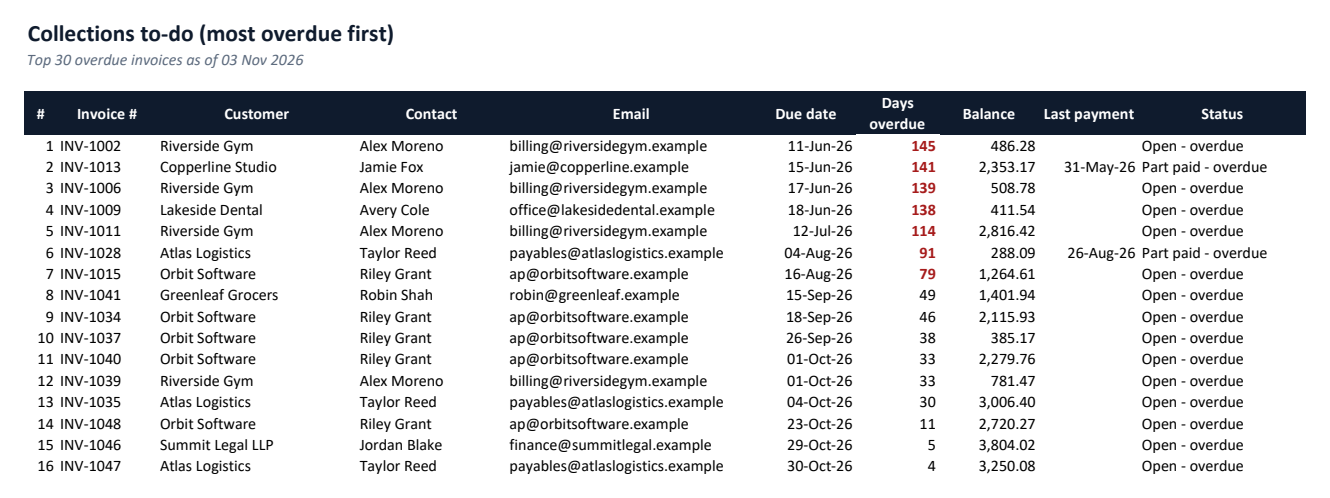
Collections to-do
The 30 most overdue invoices, oldest first, with contact details.
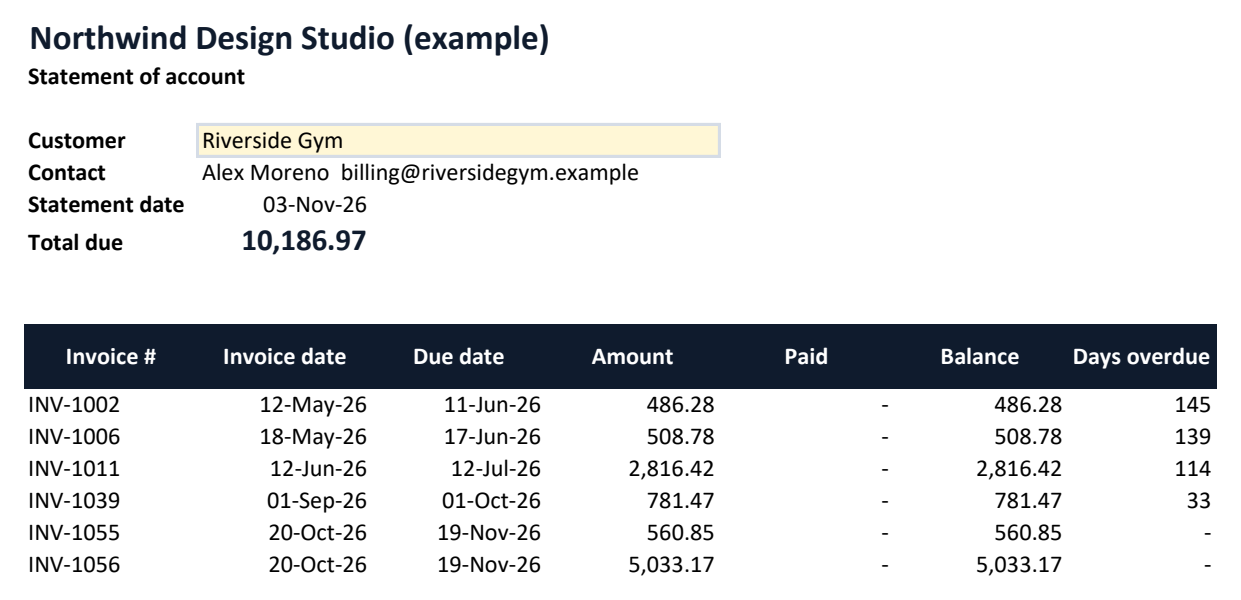
Customer statements
Pick a customer and print a statement of open invoices.
Part payments & terms
Per-invoice terms or customer defaults; part payments handled.
Data checks
Unknown invoice numbers or customers, duplicates, incomplete or overpaid invoices, credit-limit breaches.
Screenshots
Requirements
- Microsoft Excel 2010 or later
- Tested in Microsoft Excel for Windows (Microsoft 365)
- No macros or add-ins
- Google Sheets, LibreOffice and Numbers not tested
Honest limitations
- Not accounting software — no journals, tax or credit-note documents.
- Single currency per workbook.
- Capacity: 200 customers, 500 invoices, 1,000 payments.
FAQ
How is "days overdue" calculated?
As-of date minus due date, where due date is the invoice date plus the payment-terms days. Only invoices with a balance are aged.
Can I record part payments?
Yes — enter each payment as its own row against the invoice number.
Does it work with CashRunway 13?
Yes. The CashRunway Export sheet lists open invoices with expected payment dates ready to paste into CashRunway 13.
AgingBook — $12, one-time
Version 1.0.0. Delivered instantly by Gumroad after payment. Questions before buying? Email altaitoondev@gmail.com.