What it does
Expiry at a glance
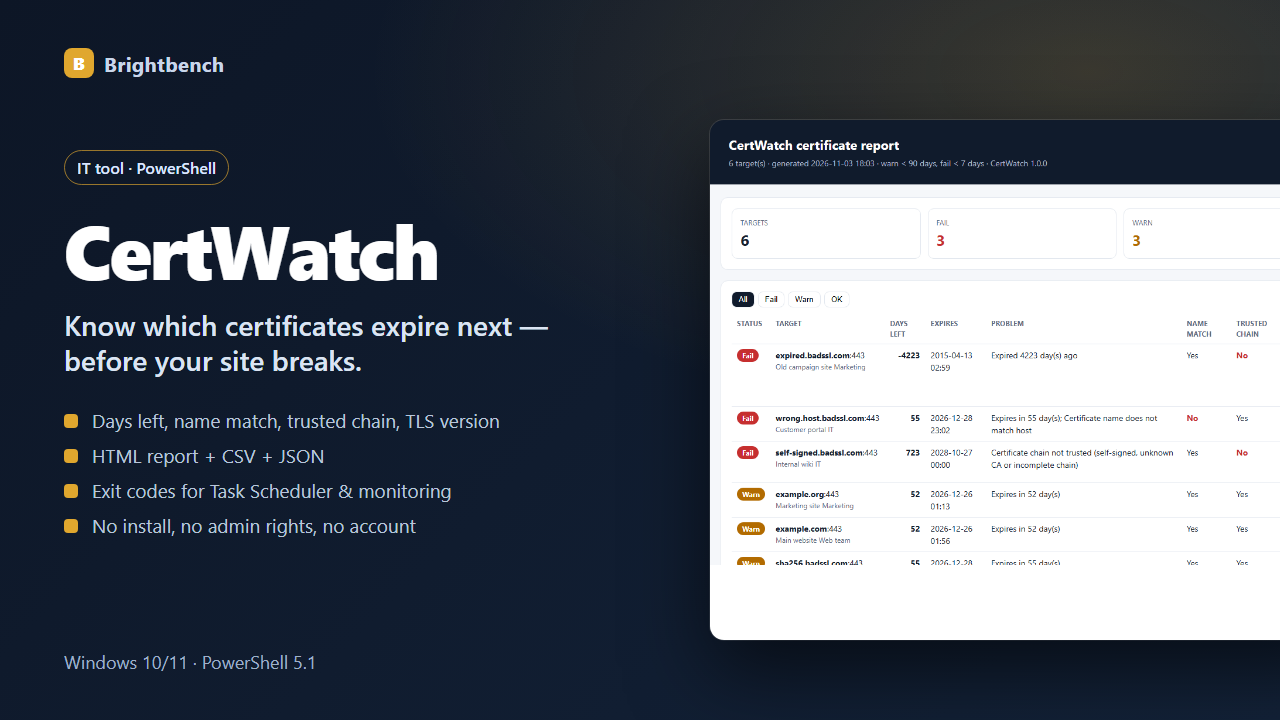
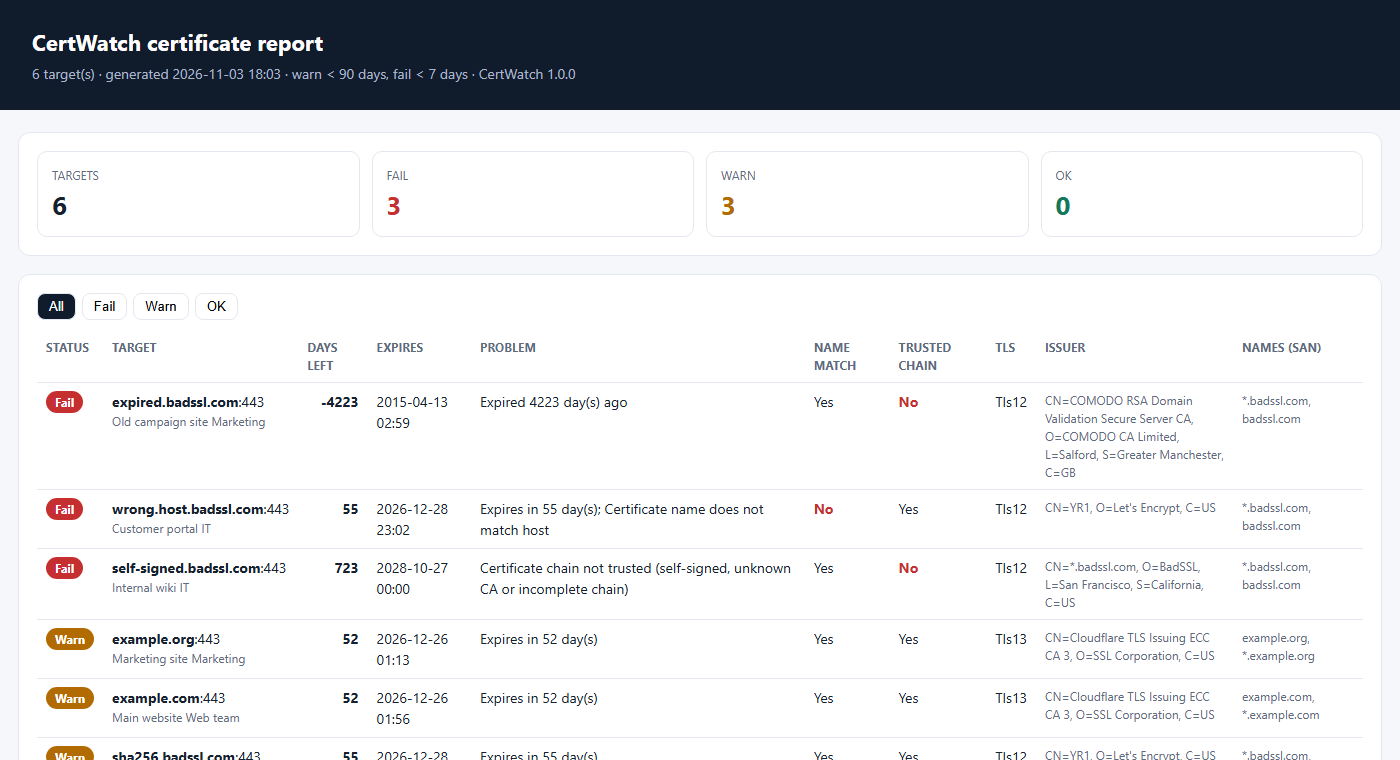
Days left and expiry date for every target, failures first.
Real problems flagged
Expired, expiring soon, name mismatch, untrusted or self-signed chain, unreachable hosts.
Weak settings warned
TLS 1.0/1.1 and SHA-1 signatures are flagged.
Text or CSV targets
Simple host:port lists, or CSV with labels and owners.
Automation-ready
Exit code 0/1/2 plus CSV and JSON output.
No install
Windows PowerShell 5.1 only — no modules, no admin rights.
Screenshots
Requirements
- Windows 10 or Windows 11
- Windows PowerShell 5.1 (built in)
- Network access to the targets
- Tested on Windows 11 23H2
Honest limitations
- Implicit-TLS ports only (443, 993, 995, 465, 636, 8443…); STARTTLS not supported.
- Reports only — no renewal or alert sending.
- Trust is evaluated with this PC's certificate store.
FAQ
Do I need admin rights?
No.
Can it check internal servers?
Yes — anything this PC can reach on a TLS port, including internal names and IPs.
Does it send data anywhere?
It only connects to the targets you list to read their certificates.
CertWatch — $9, one-time
Version 1.0.0. Delivered instantly by Gumroad after payment. Questions before buying? Email altaitoondev@gmail.com.