What you can do with it
One-page monthly budget
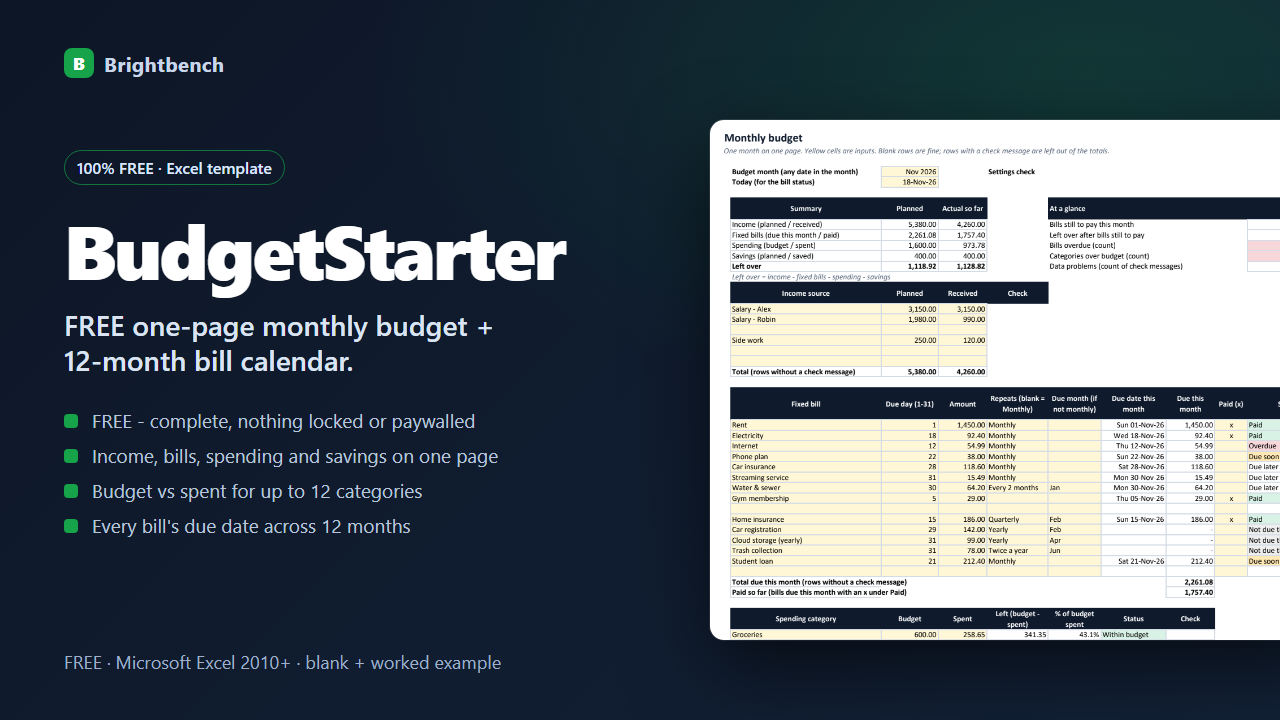
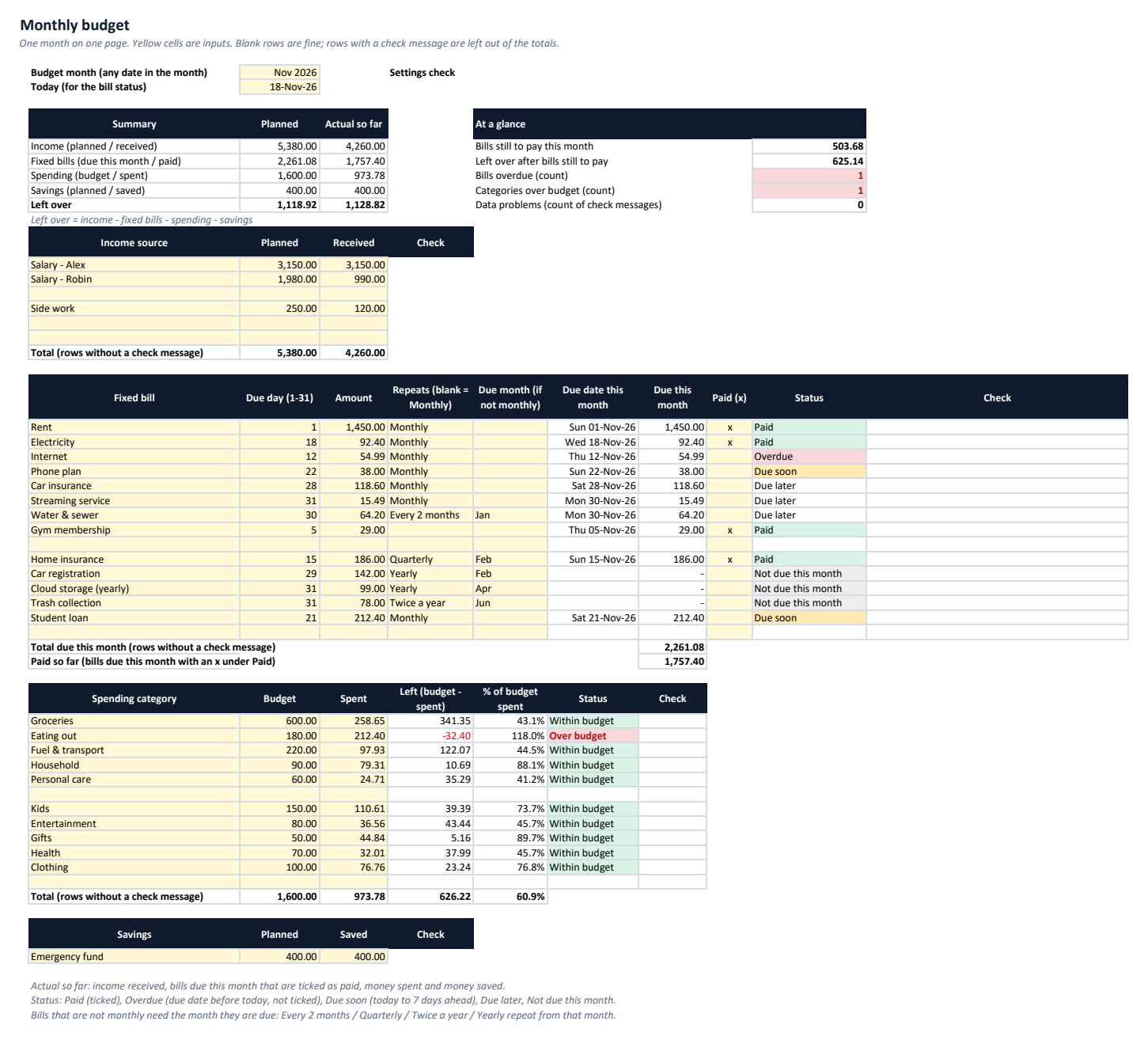
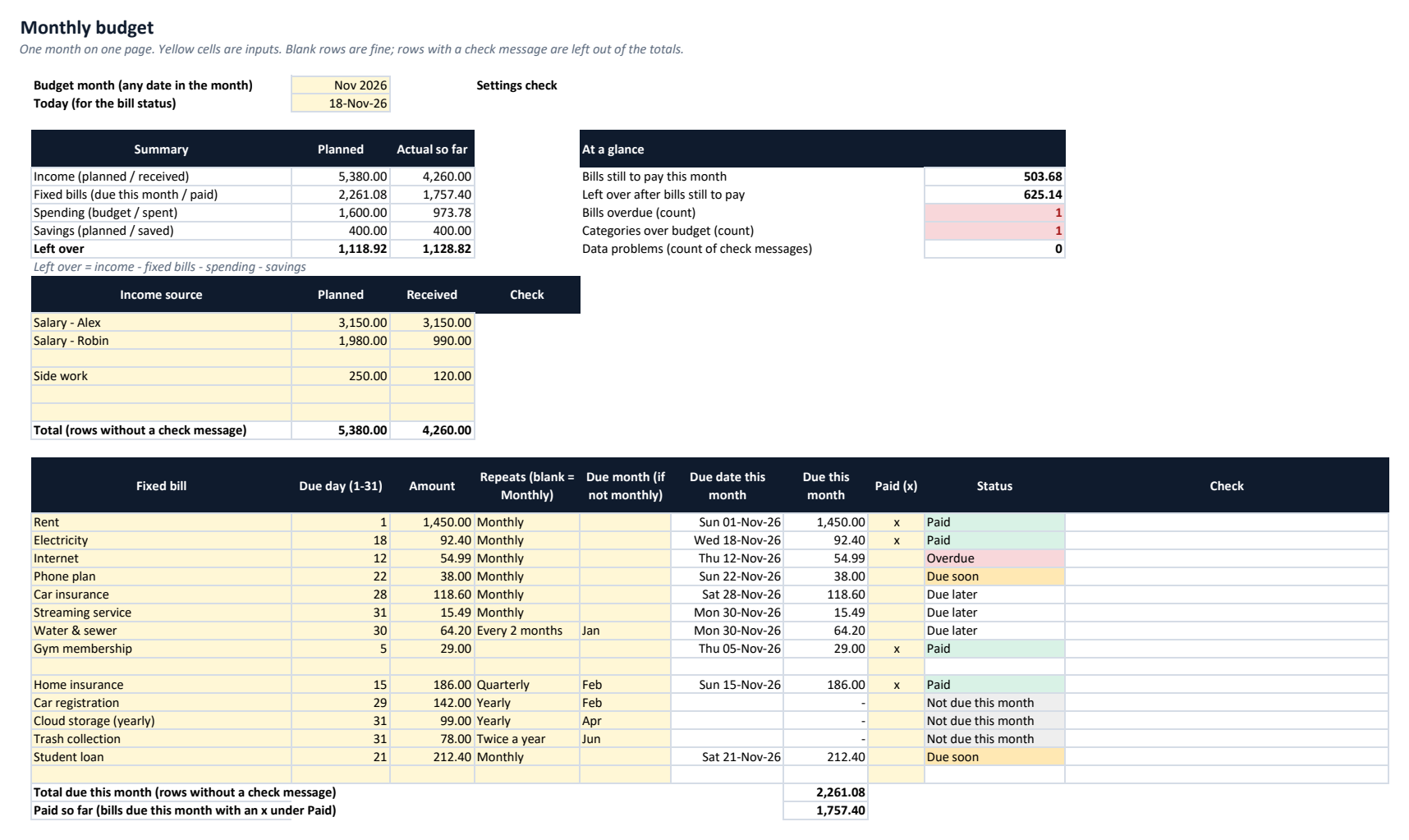
Income (planned and received), fixed bills, spending categories and a savings line on one printable page, with what is left over as planned and so far.
Budget vs spent by category
Up to 12 categories with budget, spent, left, % of budget spent and an over-budget flag.
Fixed bills with due dates
Up to 15 bills due on a day 1-31 (29-31 = the last day of shorter months), monthly, every 2 months, quarterly, twice a year or yearly; tick paid and see paid, overdue, due soon or not due this month.
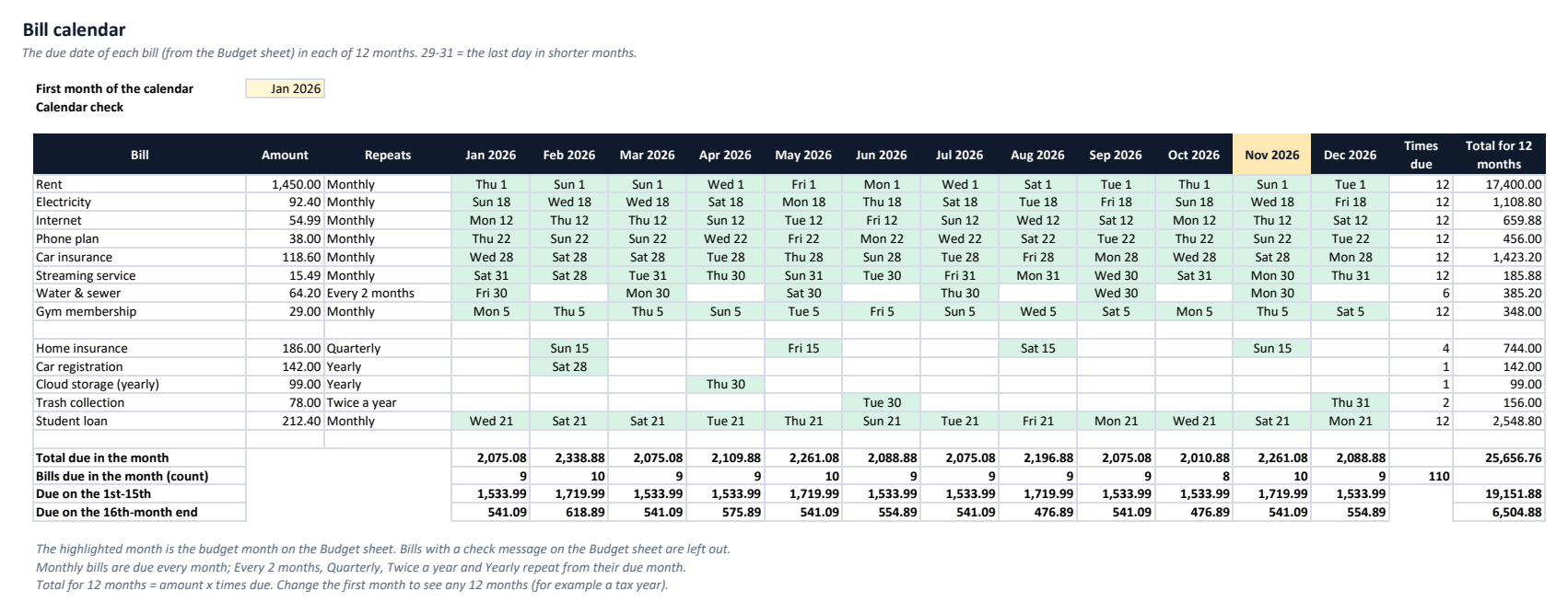
12-month bill calendar
The due date and weekday of every bill in each of 12 months, with the total and number of bills due per month and the amounts due on the 1st-15th and 16th-end.
At a glance
Bills still to pay, left over after them, bills overdue, categories over budget and the number of data problems.
Data checks
Missing names or amounts, text in number cells, negative amounts, bad due days, repeats or months, and duplicate categories are flagged and left out of the totals.
See it before you buy
What's in the download
| BudgetStarter-Example.xlsx | Example workbook filled with sample data, to explore first |
| BudgetStarter-Blank.xlsx | Blank workbook, ready for your own data |
| README.txt | Setup and how-to guide |
| CHANGELOG.txt | Version history |
| LICENSE.txt | Licence terms |
Version 1.0.0. One ZIP file, no installer, nothing sent anywhere.
Why buy it instead of building it
Checked against an independent calculation
Before release, every formula is compared with a separate model, including edited data and deliberately bad entries.
Starts with a worked example
Open the Example workbook to see it filled in, then type your own numbers into the Blank one.
A person answers support email
Write to support@getbrightbench.com and get a reply within 2 business days. If it doesn't work as described, you get a refund within 30 days.
What you need
- Microsoft Excel 2010 or later
- Tested in Microsoft Excel for Windows (Microsoft 365)
- No macros or add-ins
- Google Sheets, LibreOffice and Numbers not tested
What it doesn't do
- One month at a time: save a copy of the file to keep each month. No full-year budget or history.
- Up to 6 income lines, 15 fixed bills, 12 spending categories and 1 savings line; spending is typed as a total per category.
- A budgeting tool, not financial advice. No bank connection: you type your income, bills and spending.
How buying works
- Get it freeDelivered by Polar or Gumroad; no card needed.
- Download straight awayThe download link appears after payment and arrives by email with your receipt.
- Open and use itOpen the Example workbook, then enter your own data in the Blank one.
Questions
Is it really free?
Yes. BudgetStarter is complete on its own, with no trial, locked features or time limit. No card is needed. Gumroad and Polar ask for an email address so they can send you the download link.
How do I budget the next month?
Save a copy of the file, change the budget month and clear Received, Paid, Spent and Saved. Bills that are not due in the new month show Not due this month.
What about a bill due on the 31st?
Days 29, 30 and 31 fall on the last day of shorter months, for example 28 February (29 February in a leap year).
Does it connect to my bank?
No. You type your income, bills and spending; you can add receipts in a cell, for example =45.20+18.75.
How is it different from SpendBook?
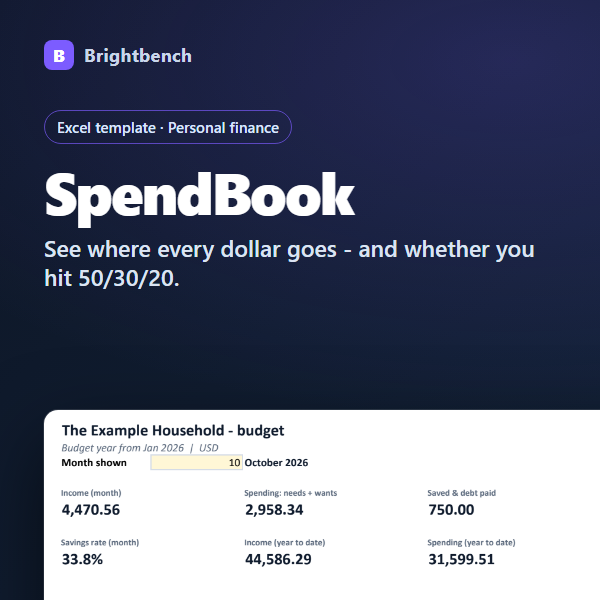
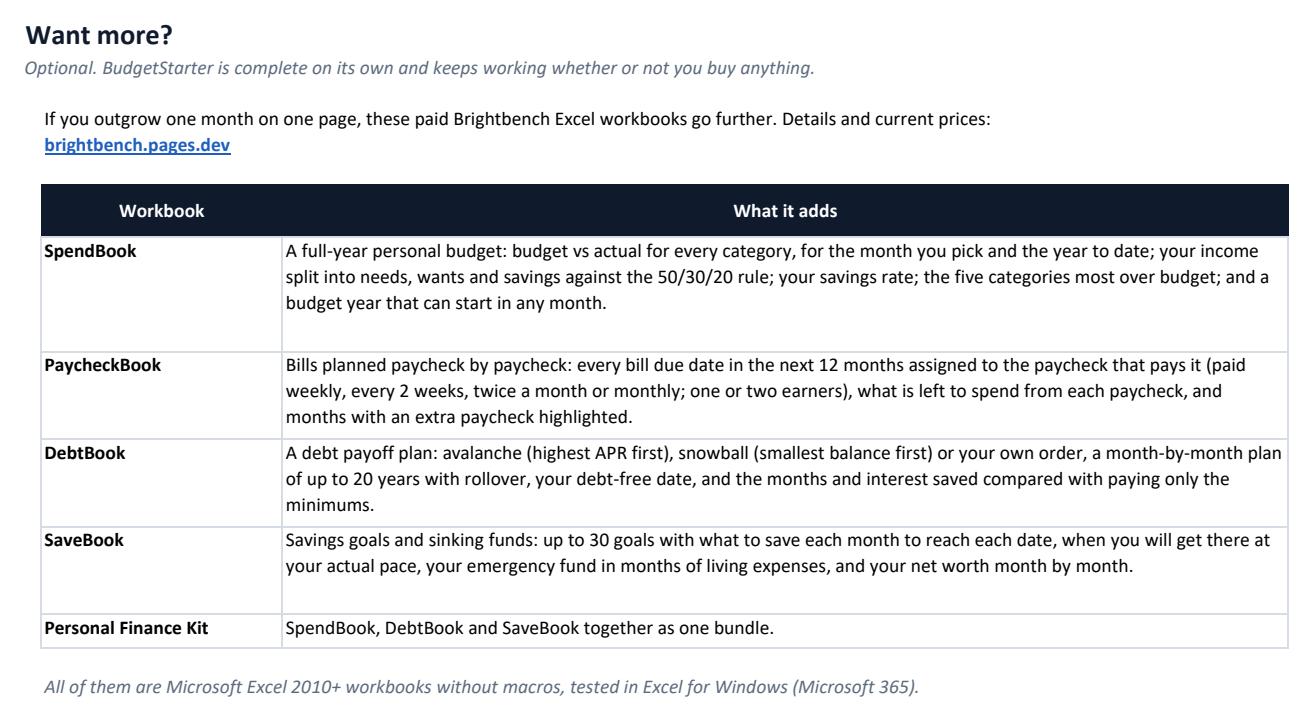
BudgetStarter covers one month on one page. SpendBook is a full-year budget with budget vs actual for every month and the year to date, a 50/30/20 check and your savings rate.
What if it doesn't work for me?
Email support@getbrightbench.com within 30 days of purchase. We'll try to fix the problem first; if we can't, you get a full refund through the store you bought from.