What you can do with it
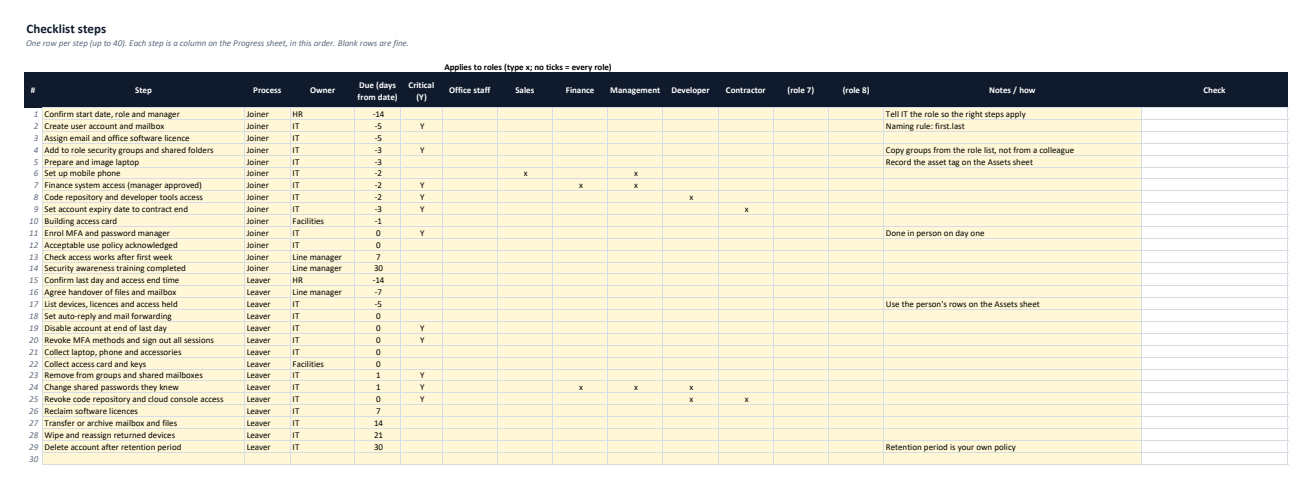
Starter IT checklist
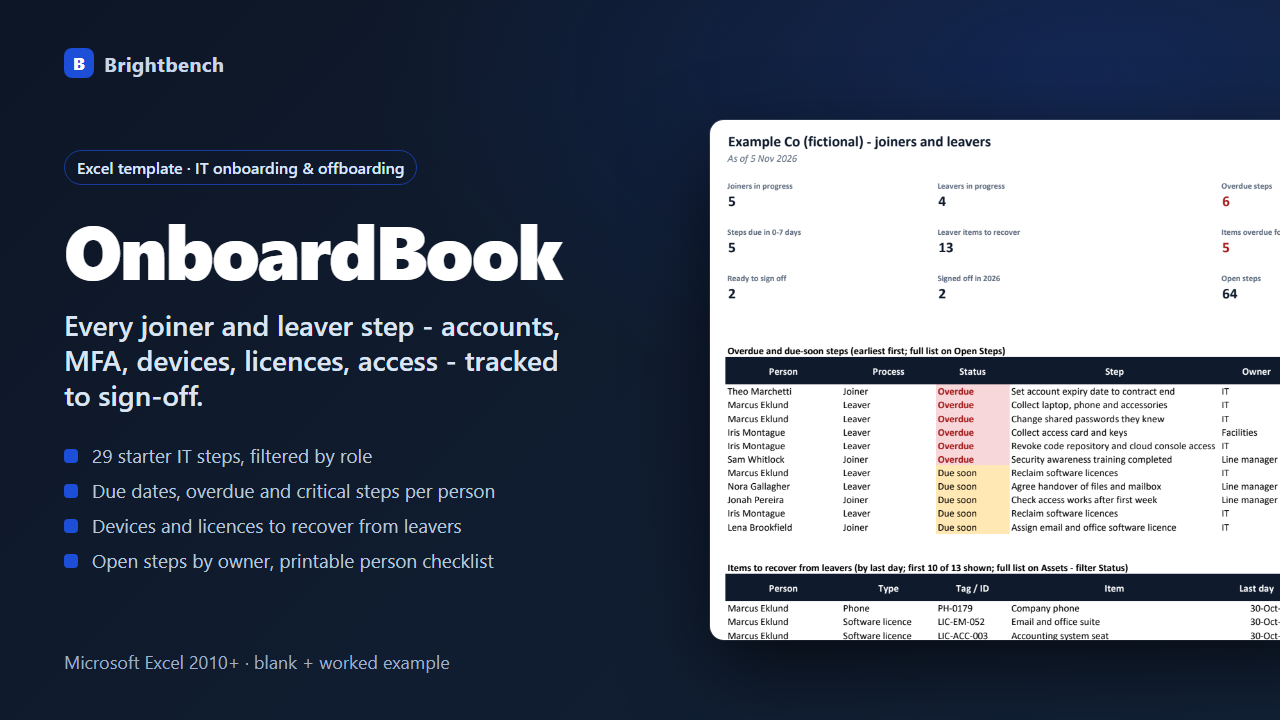
29 editable joiner and leaver steps (up to 40) with owner, due days before or after the date, critical flag and role filters.
Per-person progress
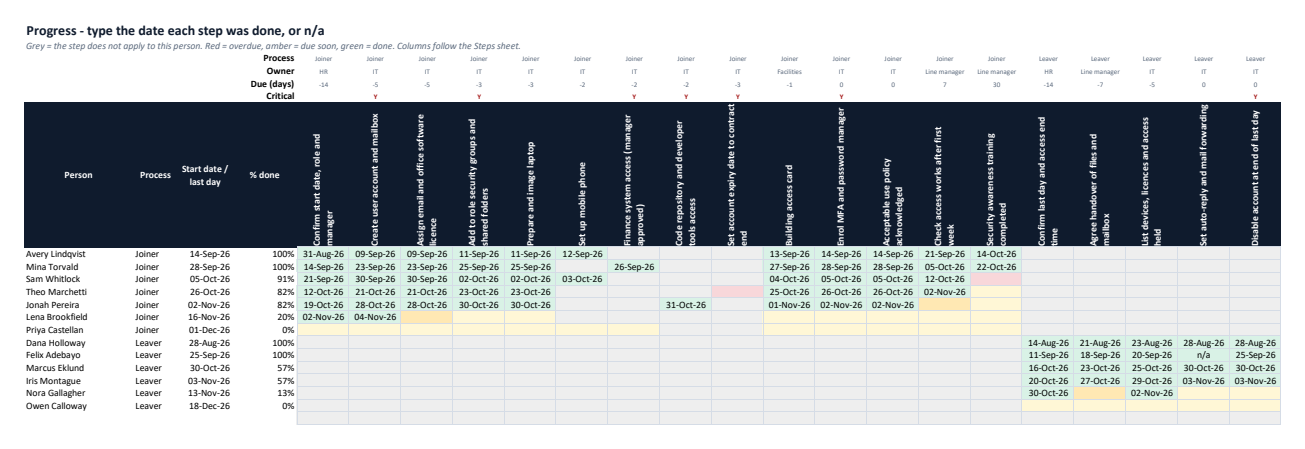
Only the steps that apply to each person's role; type the done date or n/a; overdue, due soon and done are colour-coded.
Status and sign-off
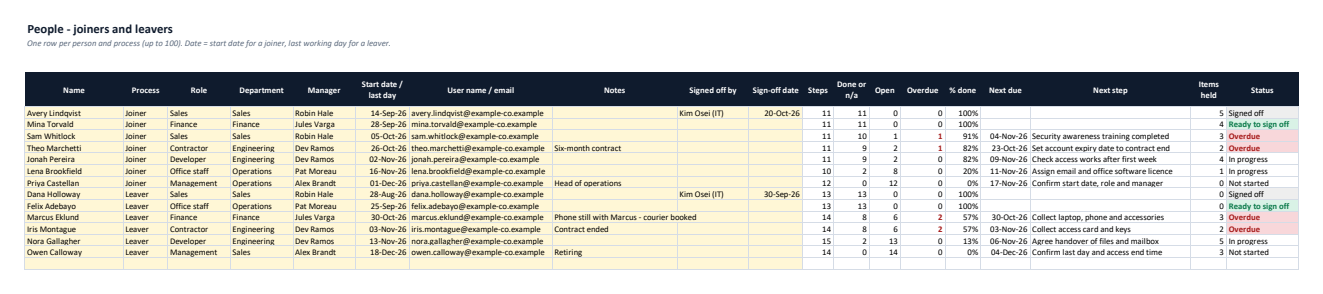
Steps, done, open, overdue, % done, next step, and Overdue / Ready to sign off / Items to recover / Signed off with sign-off checks.
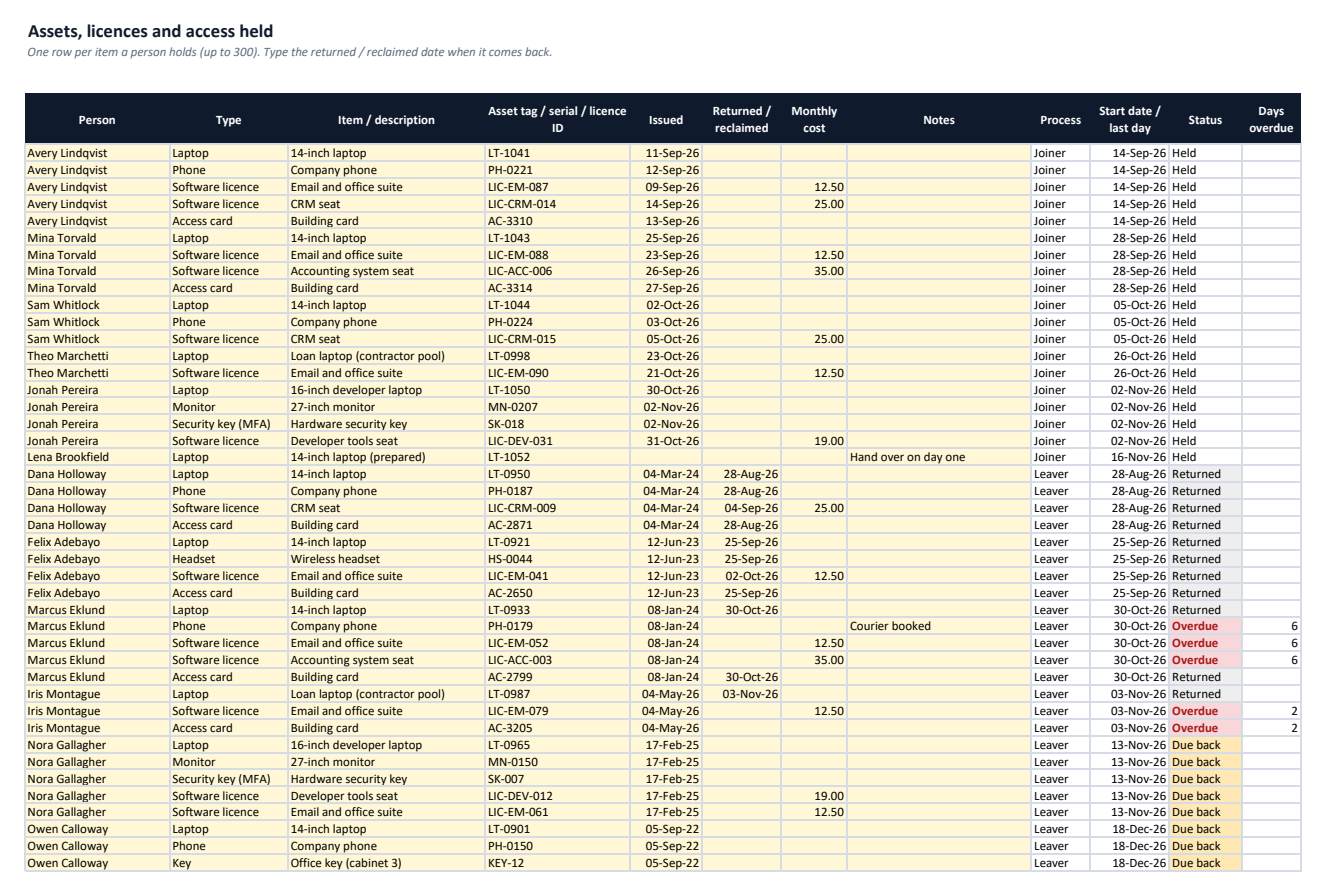
Devices, licences and access
Up to 300 items with Held / Due back / Overdue / Returned status, days overdue and monthly cost still with leavers.
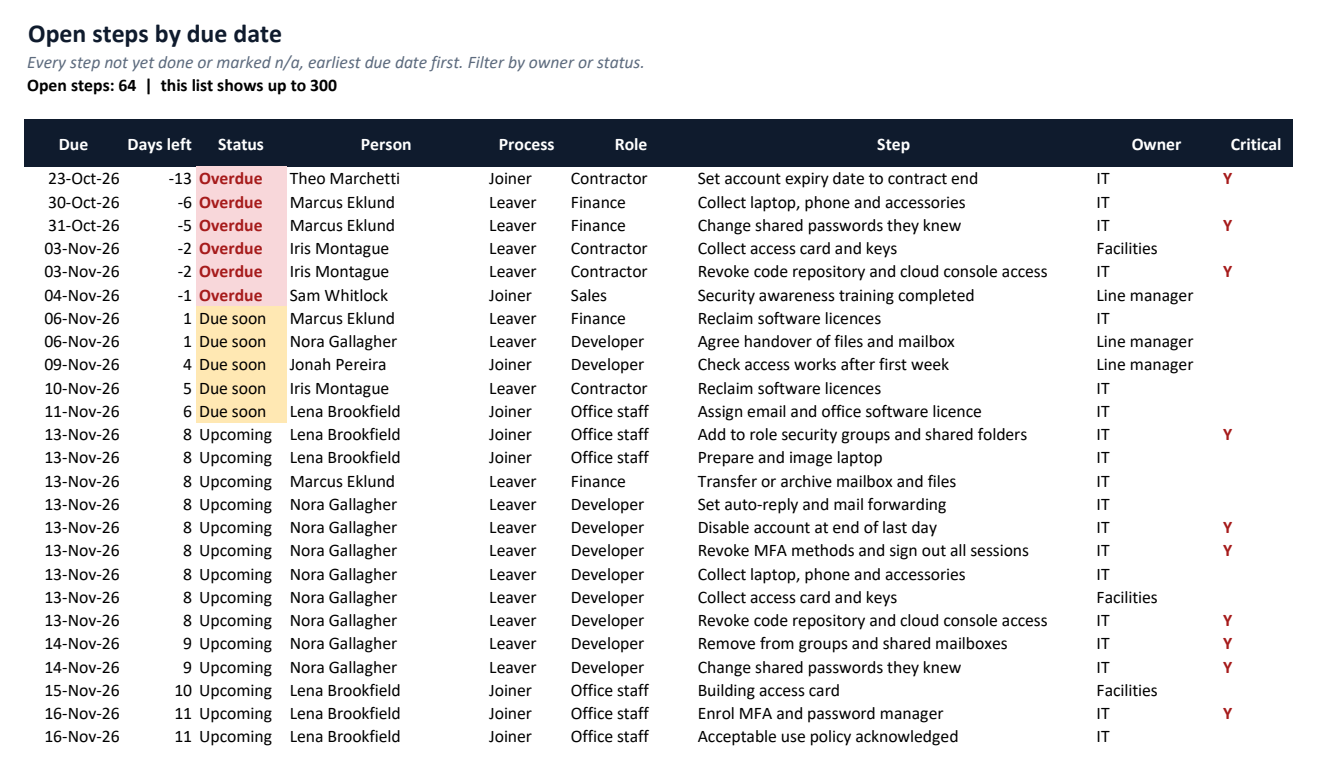
Open steps and owners
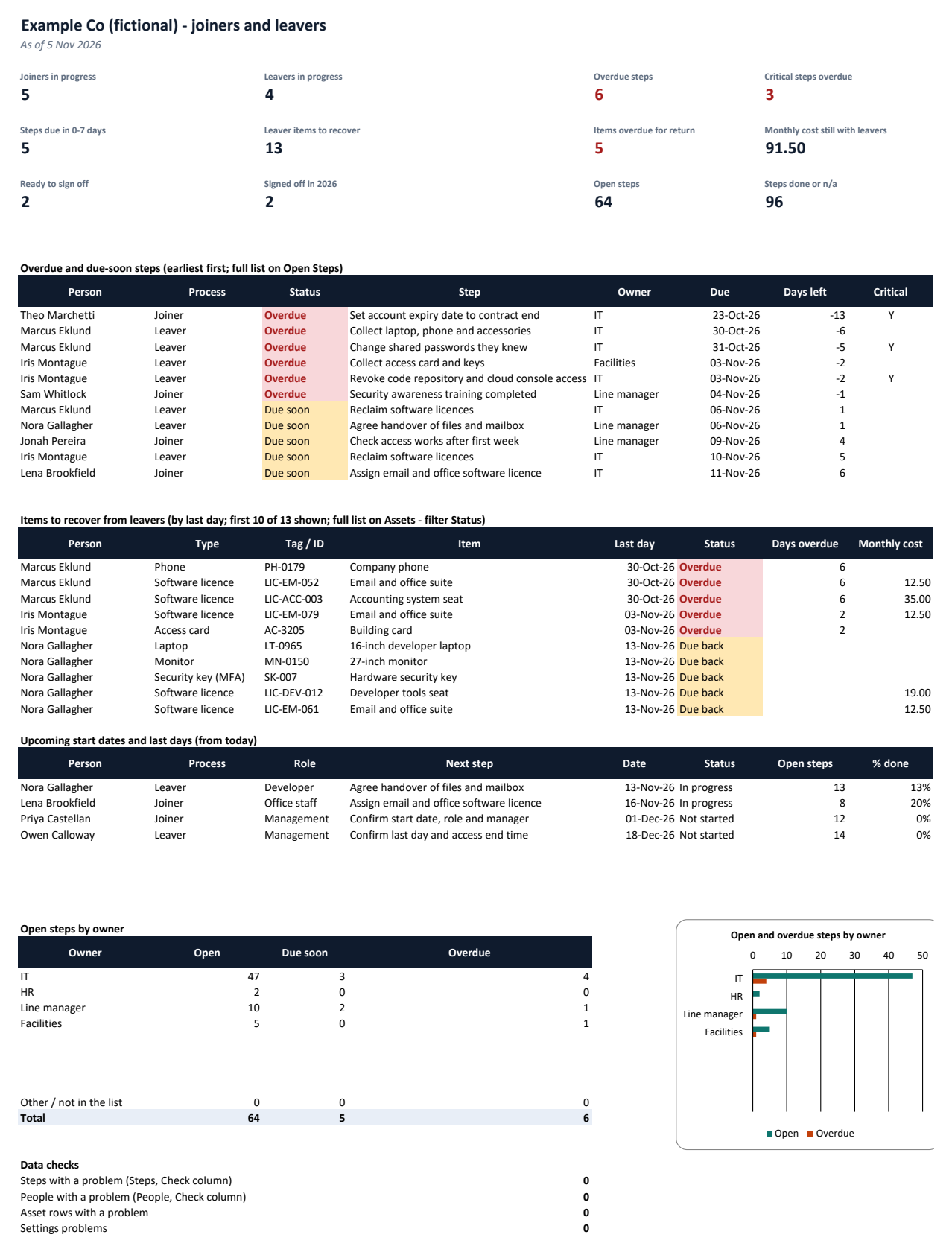
Every open step by due date, filterable by owner; open, due-soon and overdue counts per owner with a chart.
Printable checklist and dashboard
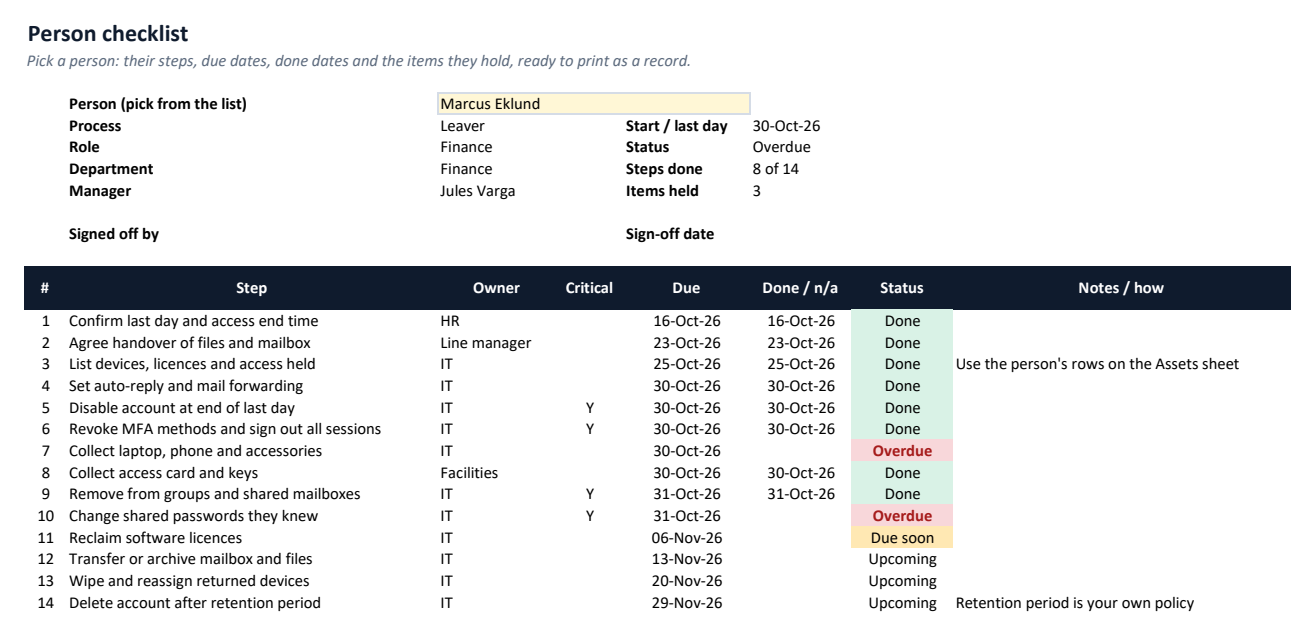
One person's steps, dates and items on a page; dashboard with critical overdue steps, items to recover, upcoming dates and data checks.
See it before you buy
What's in the download
| OnboardBook-Example.xlsx | Example workbook filled with sample data, to explore first |
| OnboardBook-Blank.xlsx | Blank workbook, ready for your own data |
| README.txt | Setup and how-to guide |
| CHANGELOG.txt | Version history |
| LICENSE.txt | Licence terms |
Version 1.0.0. One ZIP file, no installer, nothing sent anywhere.
Why buy it instead of building it
Checked against an independent calculation
Before release, every formula is compared with a separate model, including edited data and deliberately bad entries.
Starts with a worked example
Open the Example workbook to see it filled in, then type your own numbers into the Blank one.
A person answers support email
Write to altaitoondev@gmail.com and get a reply within 2 business days. If it doesn't work as described, you get a refund within 30 days.
What you need
- Microsoft Excel 2010 or later
- Tested in Microsoft Excel for Windows (Microsoft 365)
- No macros or add-ins
- Google Sheets, LibreOffice and Numbers not tested
What it doesn't do
- A tracker only: it does not connect to your directory, email, device management or HR system, and does not create or disable accounts.
- The starter steps are a starting point, not a complete security standard and not HR or legal advice; adjust them to your policies.
- Up to 40 steps, 100 people and 300 assets per file; the Dashboard lists the first 10 leaver items to recover (all are on Assets); reminders appear only inside the workbook.
How buying works
- Pay onceCheckout by Polar. Card details never touch this site.
- Download straight awayThe download link appears after payment and arrives by email with your receipt.
- Open and use itOpen the Example workbook, then enter your own data in the Blank one.
Questions
How does a step apply only to some people?
Tick the roles it applies to on the Steps sheet (for example finance system access for Finance and Management). Steps with no ticks apply to every joiner or every leaver.
How are due dates worked out?
The person's start date (joiners) or last working day (leavers) plus the step's Due days; for example -5 means five days before the start date.
Does it disable accounts or read Active Directory?
No. OnboardBook is a tracker in Excel: you do each step in your own systems and record the date here.
What does Ready to sign off mean?
Every step that applies is done or n/a and, for a leaver, every item on the Assets sheet has a returned date.
Is it HR or legal advice?
No. The starter steps are IT examples to adapt to your own policies.
What if it doesn't work for me?
Email altaitoondev@gmail.com within 30 days of purchase. We'll try to fix the problem first; if we can't, you get a full refund through the store you bought from.