What you can do with it
Any pay schedule
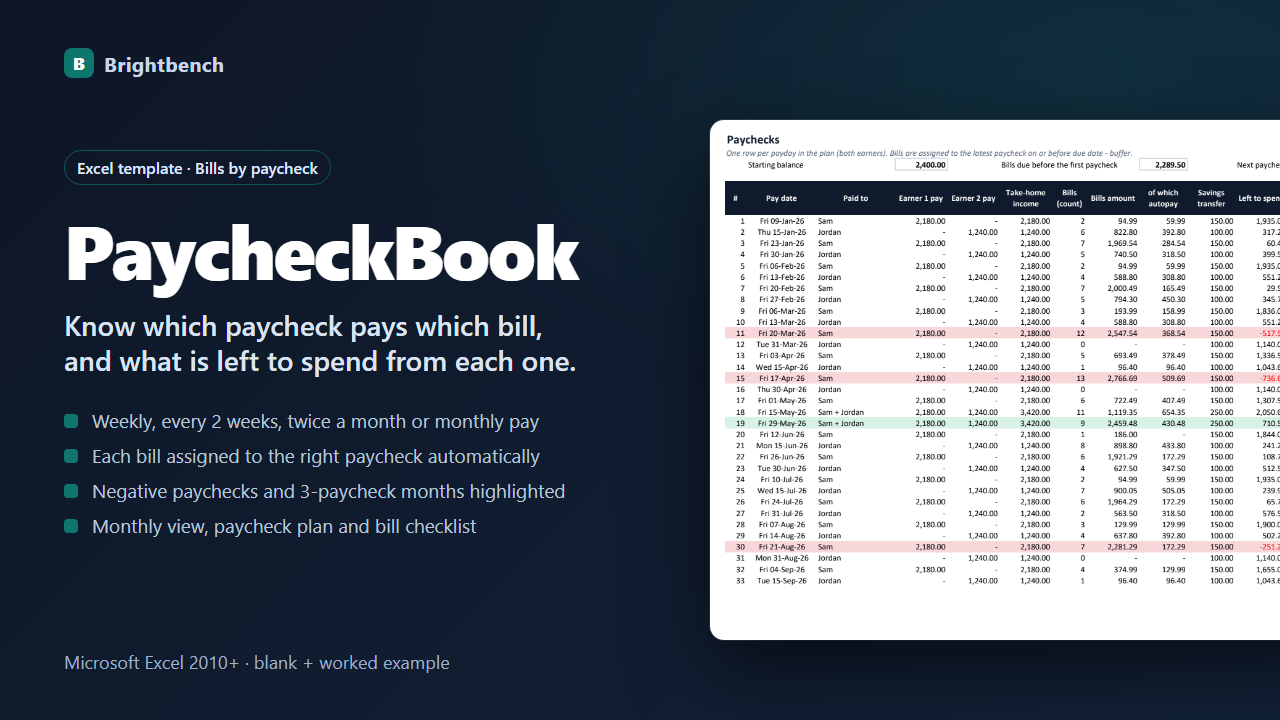
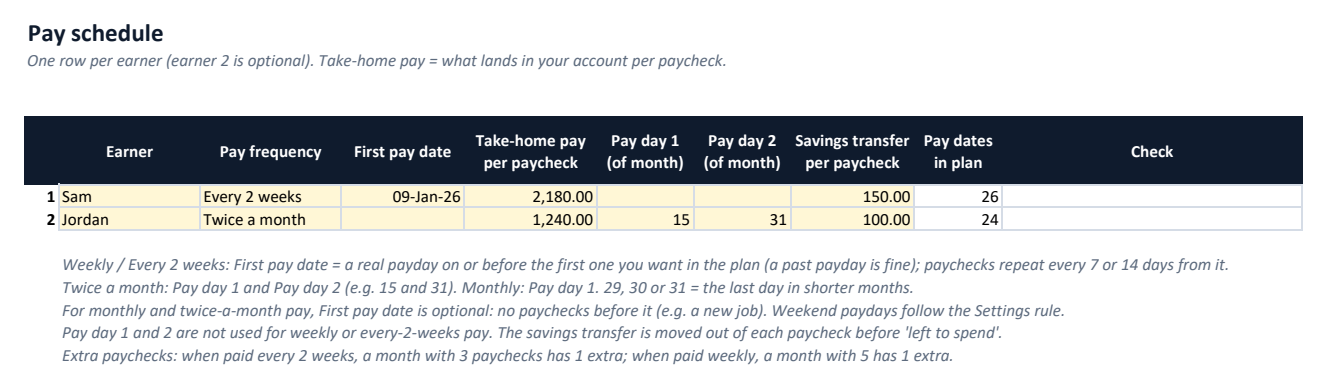
Weekly, every 2 weeks, twice a month or monthly, for one or two earners, with a weekend rule for monthly paydays and an optional savings transfer per paycheck.
Bills assigned automatically
Every due date in the next 12 months goes to the latest paycheck on or before the due date minus your buffer (per bill if you like); earlier ones to your starting balance.
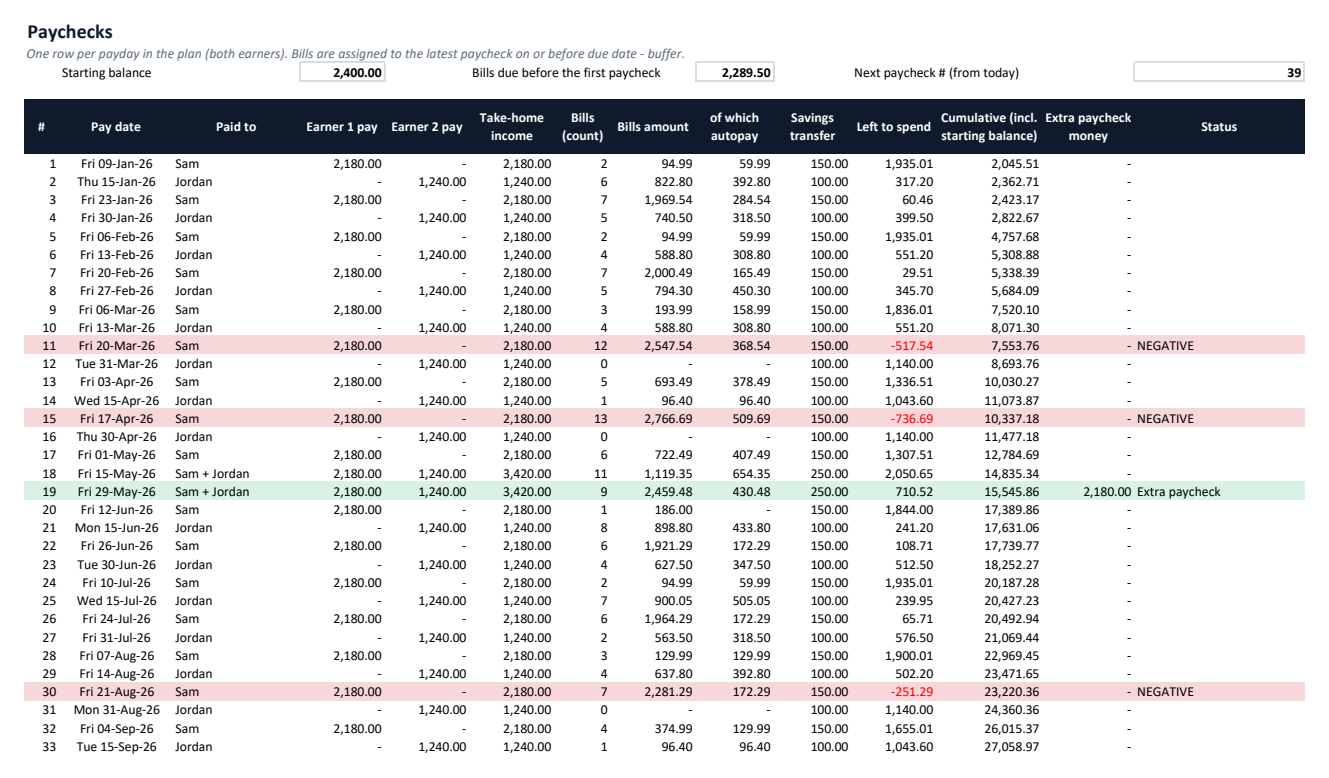
Left to spend per paycheck
Income, bills, autopay part, savings transfer, left to spend and a cumulative balance for every payday; paydays below zero are flagged red.
Extra-paycheck months
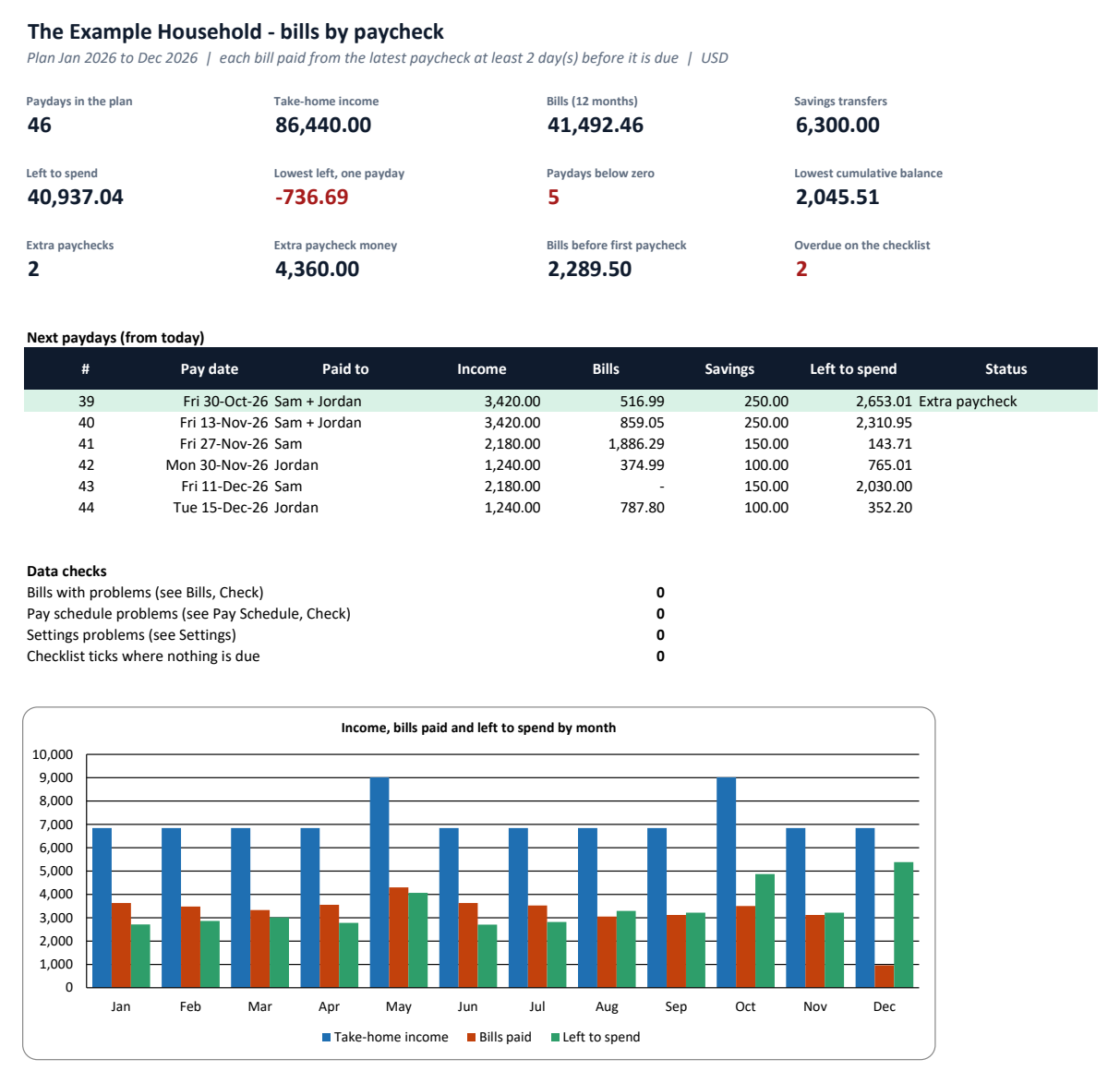
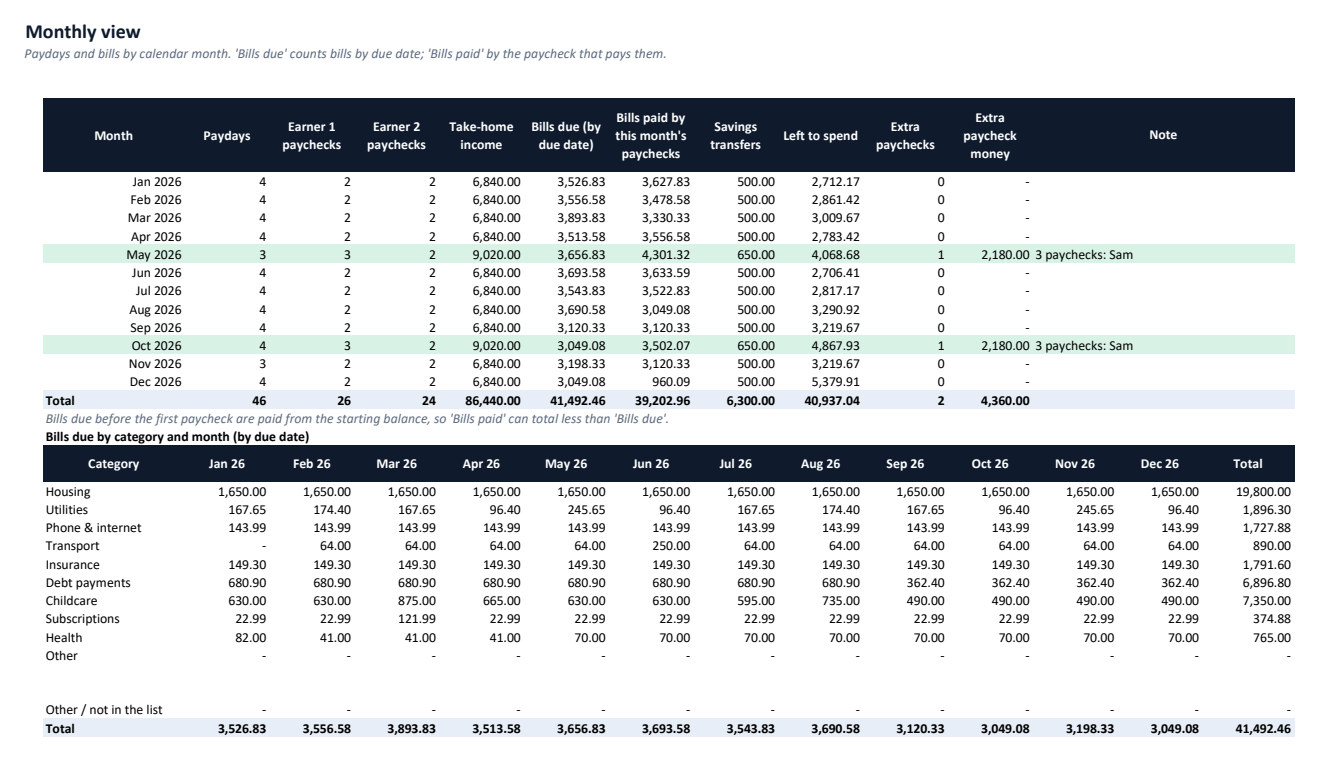
Months with 3 paychecks (every 2 weeks) or 5 (weekly) are highlighted with the extra money, on the Paychecks sheet, the monthly view and the dashboard.
Flexible due dates
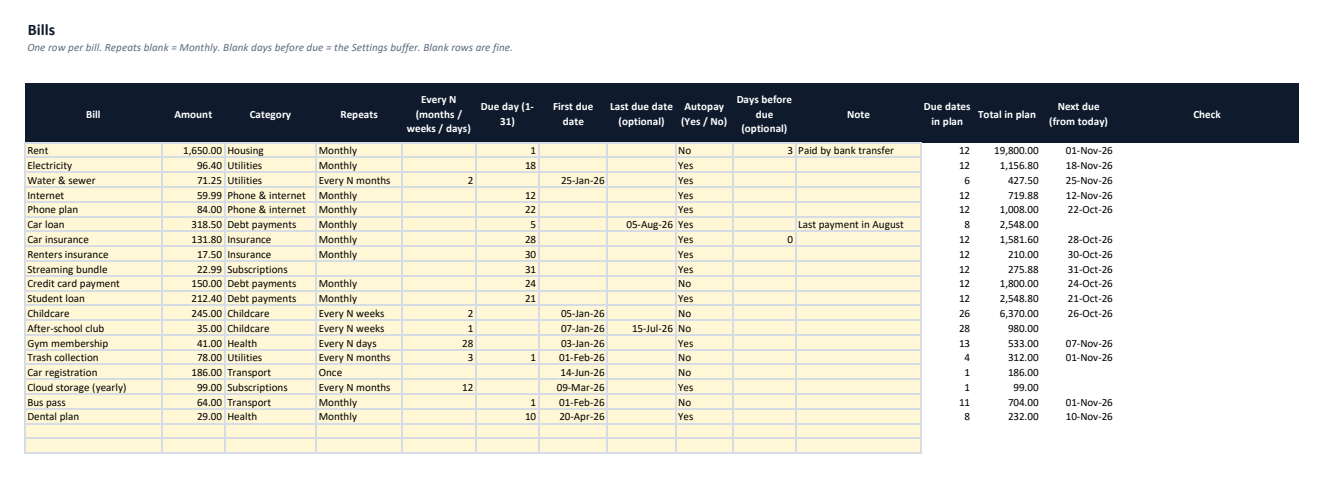
Monthly on a day (29-31 fall on the last day of short months, leap years included), every N months, weeks or days, or once, with optional start and end dates.
Plan, monthly view & checklist
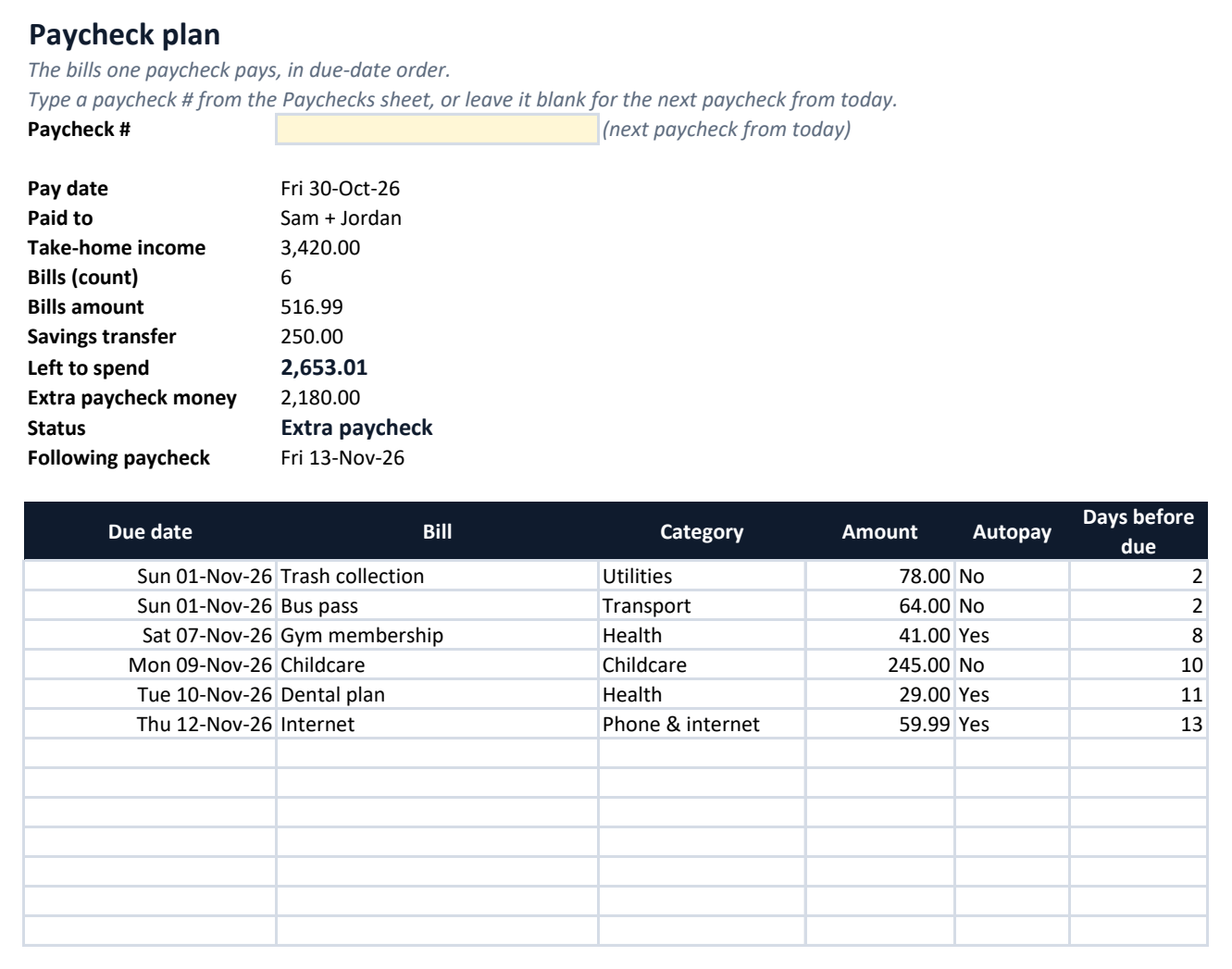
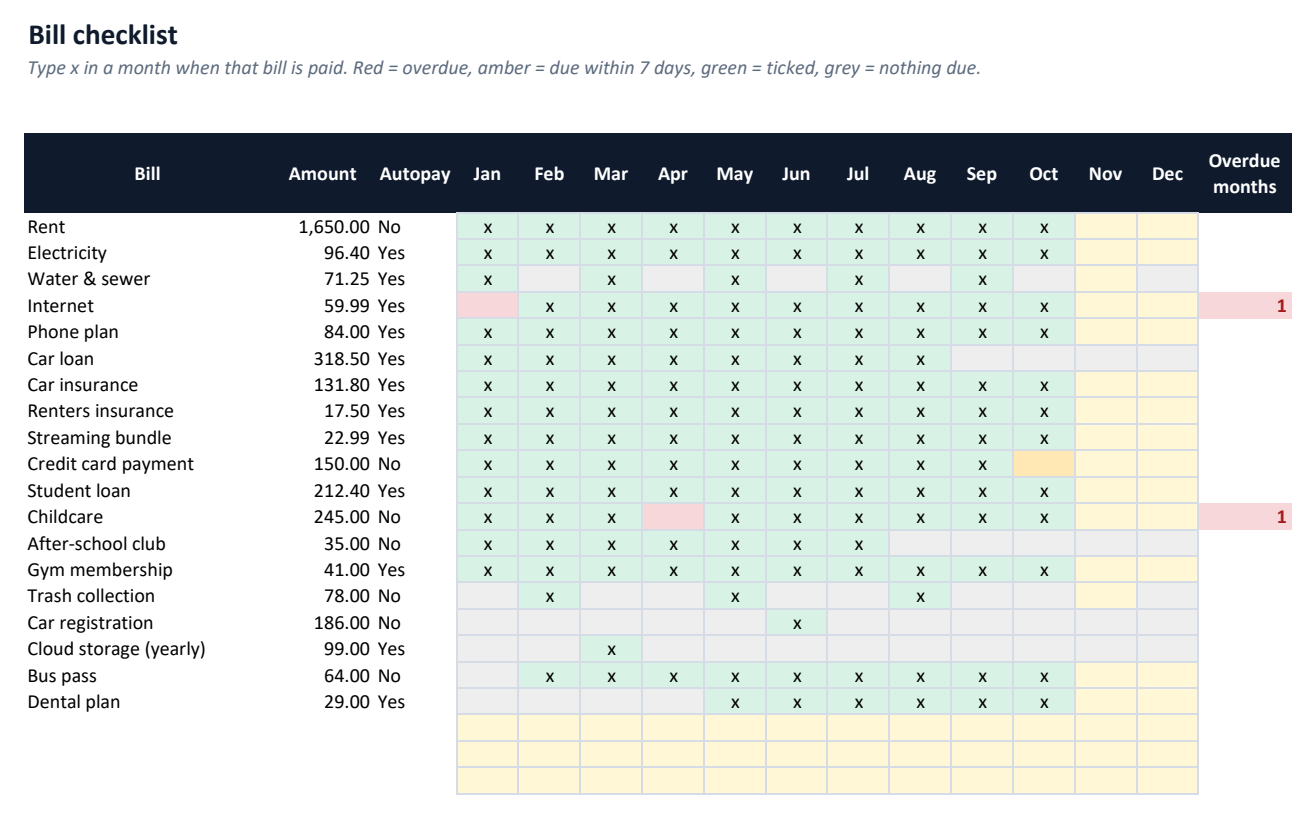
A printable plan of the bills one paycheck pays, a month-by-month view with bills by category, a tick-as-you-pay checklist with overdue and due-soon colours, and data checks.
See it before you buy
What's in the download
| PaycheckBook-Example.xlsx | Example workbook filled with sample data, to explore first |
| PaycheckBook-Blank.xlsx | Blank workbook, ready for your own data |
| README.txt | Setup and how-to guide |
| CHANGELOG.txt | Version history |
| LICENSE.txt | Licence terms |
Version 1.0.0. One ZIP file, no installer, nothing sent anywhere.
Why buy it instead of building it
Checked against an independent calculation
Before release, every formula is compared with a separate model, including edited data and deliberately bad entries.
Starts with a worked example
Open the Example workbook to see it filled in, then type your own numbers into the Blank one.
A person answers support email
Write to altaitoondev@gmail.com and get a reply within 2 business days. If it doesn't work as described, you get a refund within 30 days.
What you need
- Microsoft Excel 2010 or later
- Tested in Microsoft Excel for Windows (Microsoft 365)
- No macros or add-ins
- Google Sheets, LibreOffice and Numbers not tested
What it doesn't do
- A planning tool, not financial advice. No bank connection: you type your pay and bills.
- One take-home amount per earner and one amount per bill; the plan covers 12 calendar months, so bills due after it are not shown.
- Up to 2 earners and 40 bills; paydays on public holidays are not moved; one currency per file.
How buying works
- Pay onceCheckout by Polar. Card details never touch this site.
- Download straight awayThe download link appears after payment and arrives by email with your receipt.
- Open and use itOpen the Example workbook, then enter your own data in the Blank one.
Questions
Which paycheck pays a bill?
The latest paycheck (of either earner) on or before the due date minus your buffer, for example 2 days. Set a different buffer for one bill on the Bills sheet.
What is a three-paycheck month?
When you are paid every two weeks, two months a year usually have 3 paychecks instead of 2 (5 instead of 4 when paid weekly). PaycheckBook highlights those months and shows the extra money.
How is it different from SpendBook?
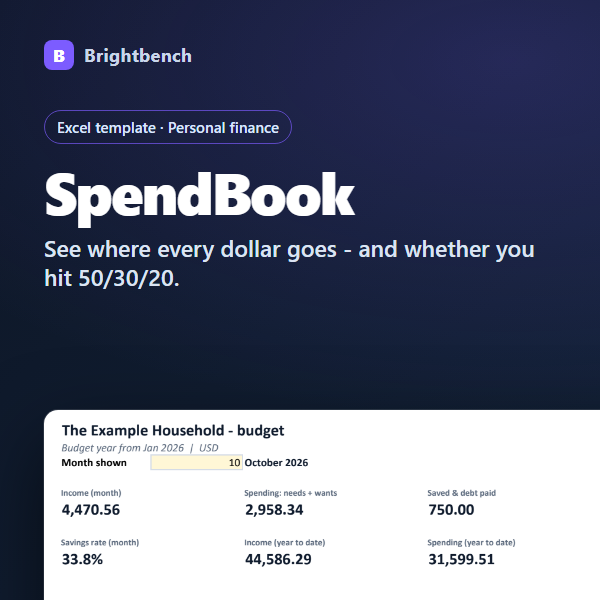
SpendBook is a monthly category budget (50/30/20) with your actual spending. PaycheckBook plans your bills paycheck by paycheck so you know what is left from each one. They work well together.
Does it connect to my bank?
No. You type your pay schedule and bills once; the dates for the next 12 months are worked out for you.
What if a bill is due before my first paycheck?
It is paid from the starting balance you enter in Settings and listed as before the first paycheck.
What if it doesn't work for me?
Email altaitoondev@gmail.com within 30 days of purchase. We'll try to fix the problem first; if we can't, you get a full refund through the store you bought from.