What you can do with it
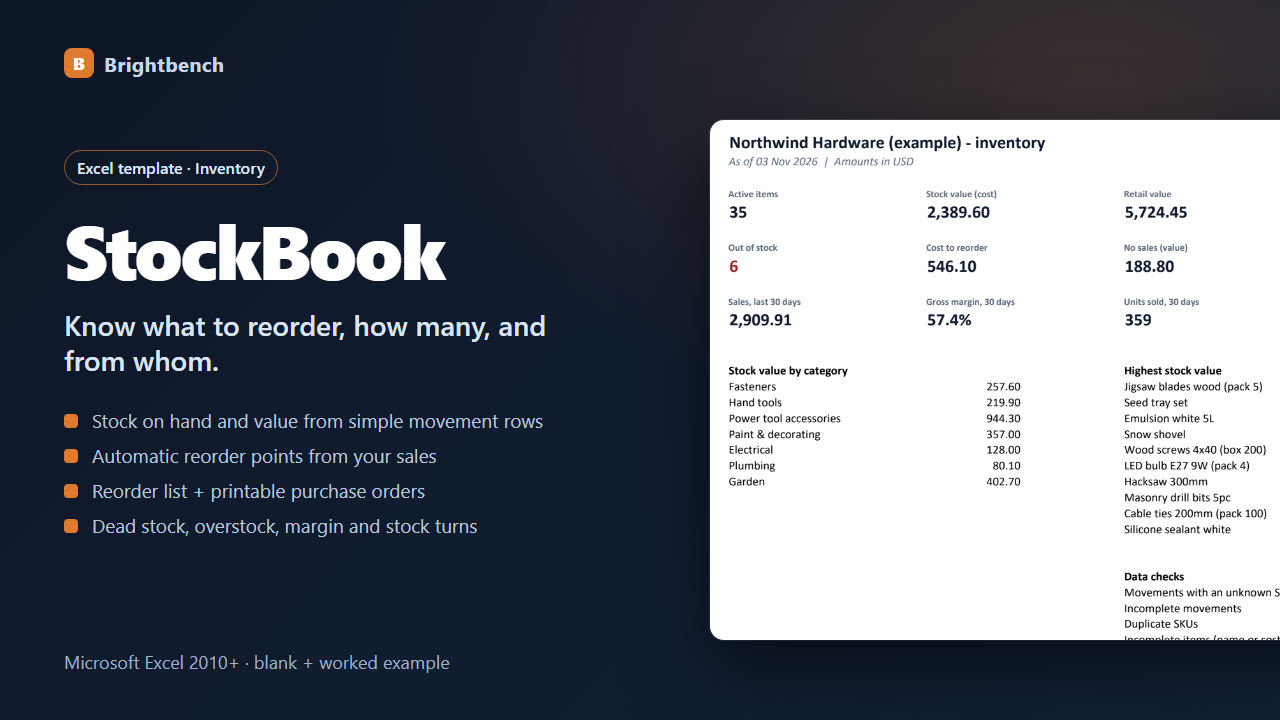
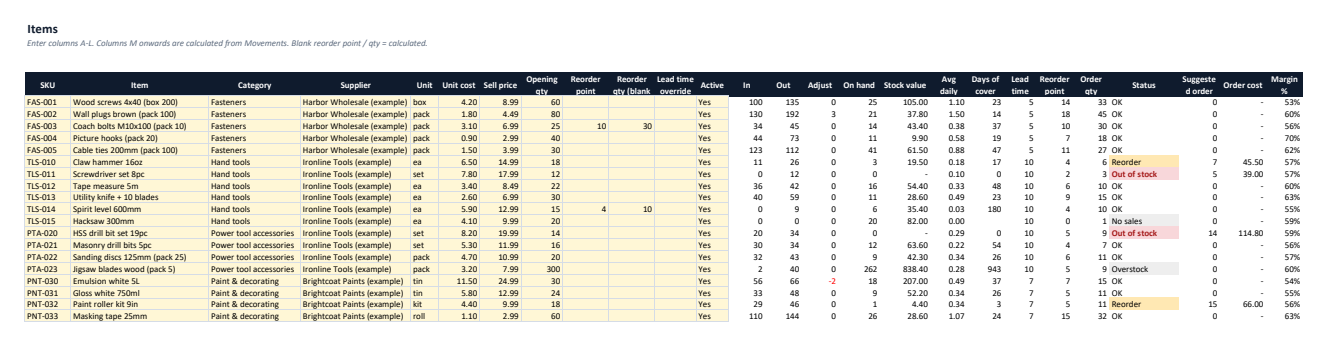
Stock on hand & value
From simple movement rows: received, sold, used, returned, adjustment.
Automatic reorder points
Average daily use × (lead time + safety days), or set your own.
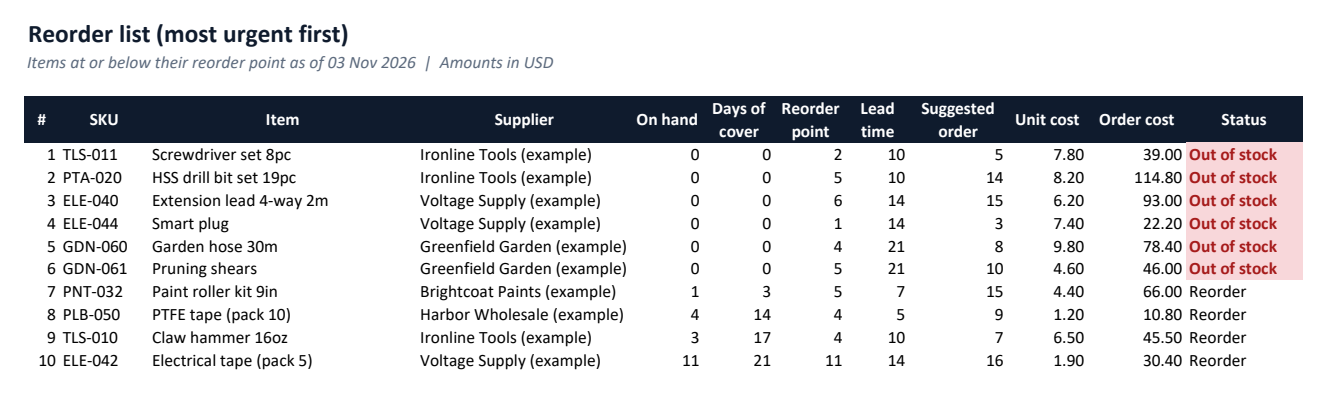
Reorder list
Most urgent first, with suggested quantity and cost.
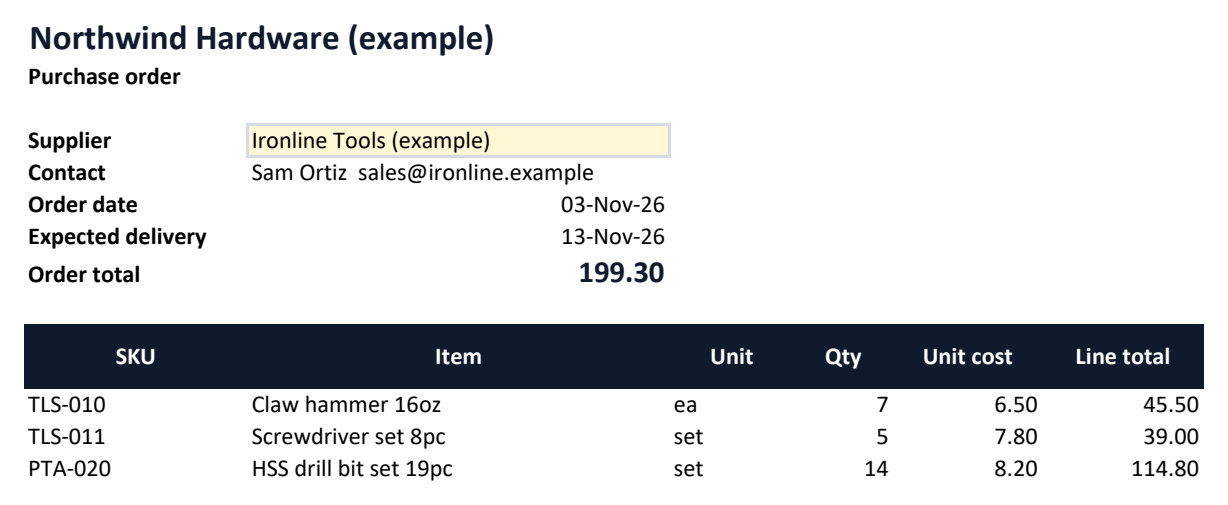
Purchase orders
Pick a supplier, print the order.
Dead stock & overstock
See the money tied up in items that do not sell.
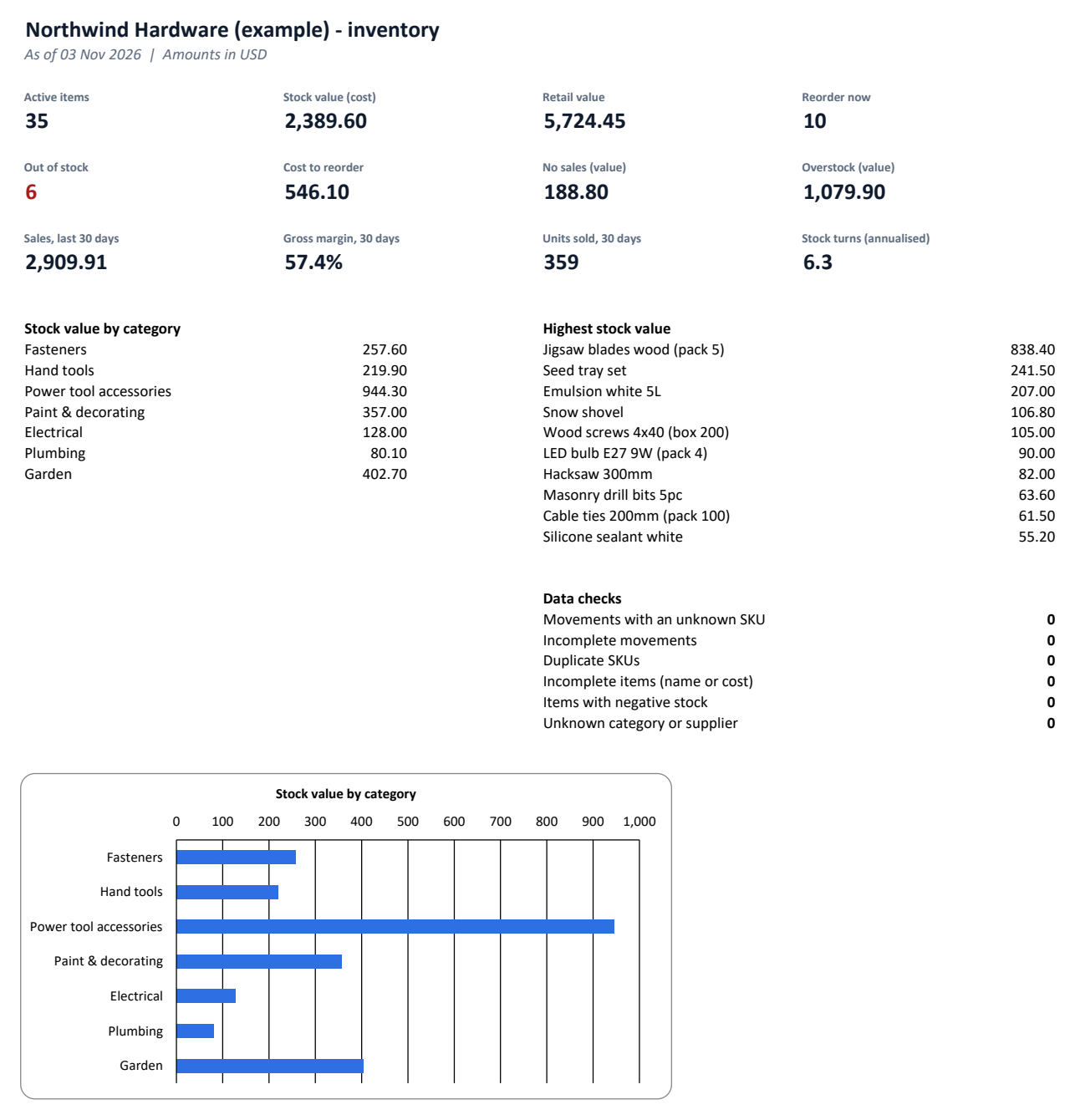
Dashboard
30-day sales, gross margin, units sold, stock turns, value by category, data checks.
See it before you buy
What's in the download
| StockBook-Example.xlsx | Example workbook filled with sample data, to explore first |
| StockBook-Blank.xlsx | Blank workbook, ready for your own data |
| README.txt | Setup and how-to guide |
| CHANGELOG.txt | Version history |
| LICENSE.txt | Licence terms |
Version 1.0.0. One ZIP file, no installer, nothing sent anywhere.
Why buy it instead of building it
Checked against an independent calculation
Before release, every formula is compared with a separate model, including edited data and deliberately bad entries.
Starts with a worked example
Open the Example workbook to see it filled in, then type your own numbers into the Blank one.
A person answers support email
Write to altaitoondev@gmail.com and get a reply within 2 business days. If it doesn't work as described, you get a refund within 30 days.
What you need
- Microsoft Excel 2010 or later
- Tested in Microsoft Excel for Windows (Microsoft 365)
- No macros or add-ins
- Google Sheets, LibreOffice and Numbers not tested
What it doesn't do
- Single stock location; no batch, serial or expiry tracking.
- Stock valued at current unit cost (not FIFO).
- Does not connect to tills or online stores.
How buying works
- Pay onceCheckout by Polar. Card details never touch this site.
- Download straight awayThe download link appears after payment and arrives by email with your receipt.
- Open and use itOpen the Example workbook, then enter your own data in the Blank one.
Questions
How are reorder points calculated?
Average daily use over the last 90 days × (supplier lead time + 7 safety days), rounded up. All settings are editable.
Can I import sales from my till?
Paste date, SKU, "Sold" and quantity rows into the Movements sheet.
What if it doesn't work for me?
Email altaitoondev@gmail.com within 30 days of purchase. We'll try to fix the problem first; if we can't, you get a full refund through the store you bought from.