What you can do with it
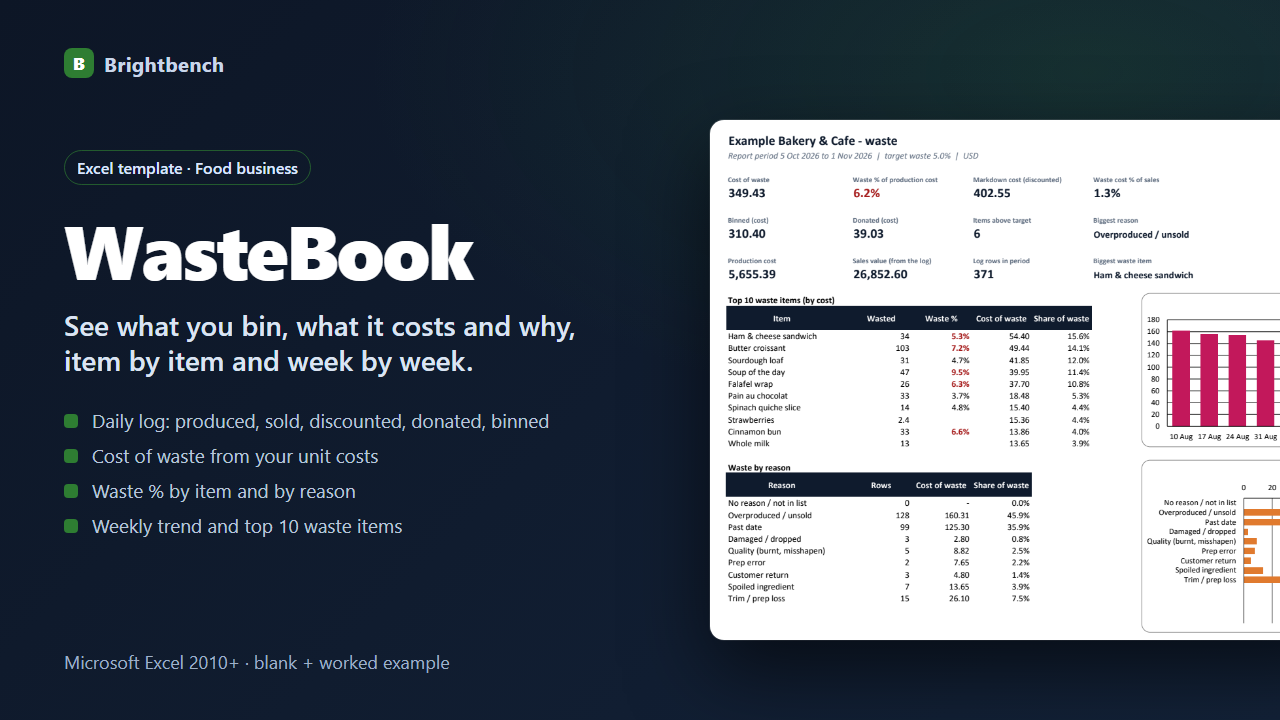
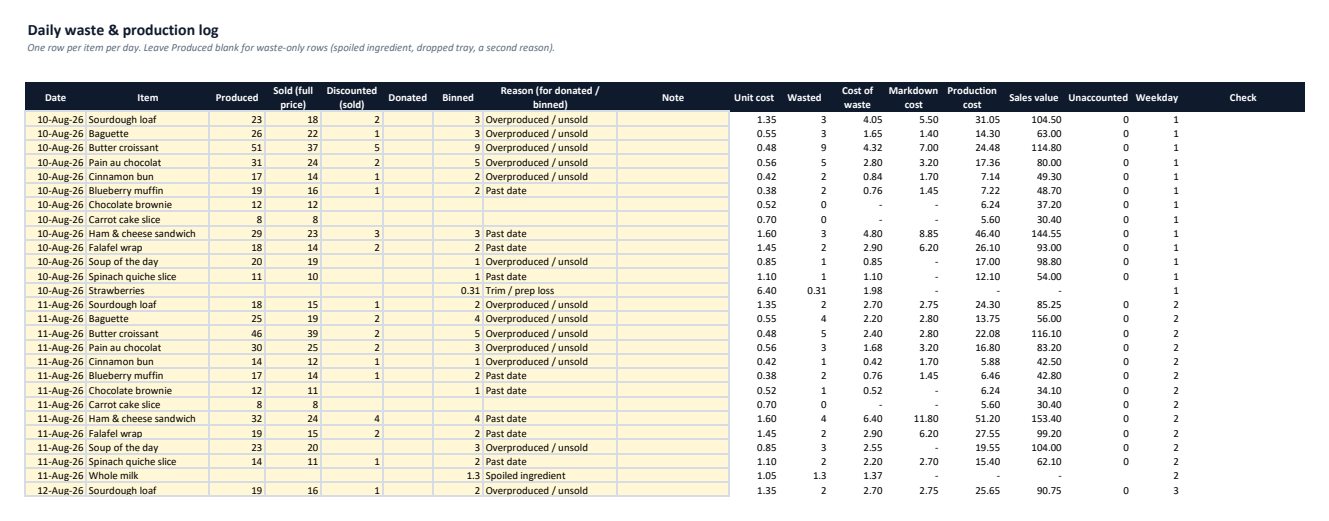
Daily waste & production log
Produced, sold, discounted, donated and binned per item per day, with a reason.
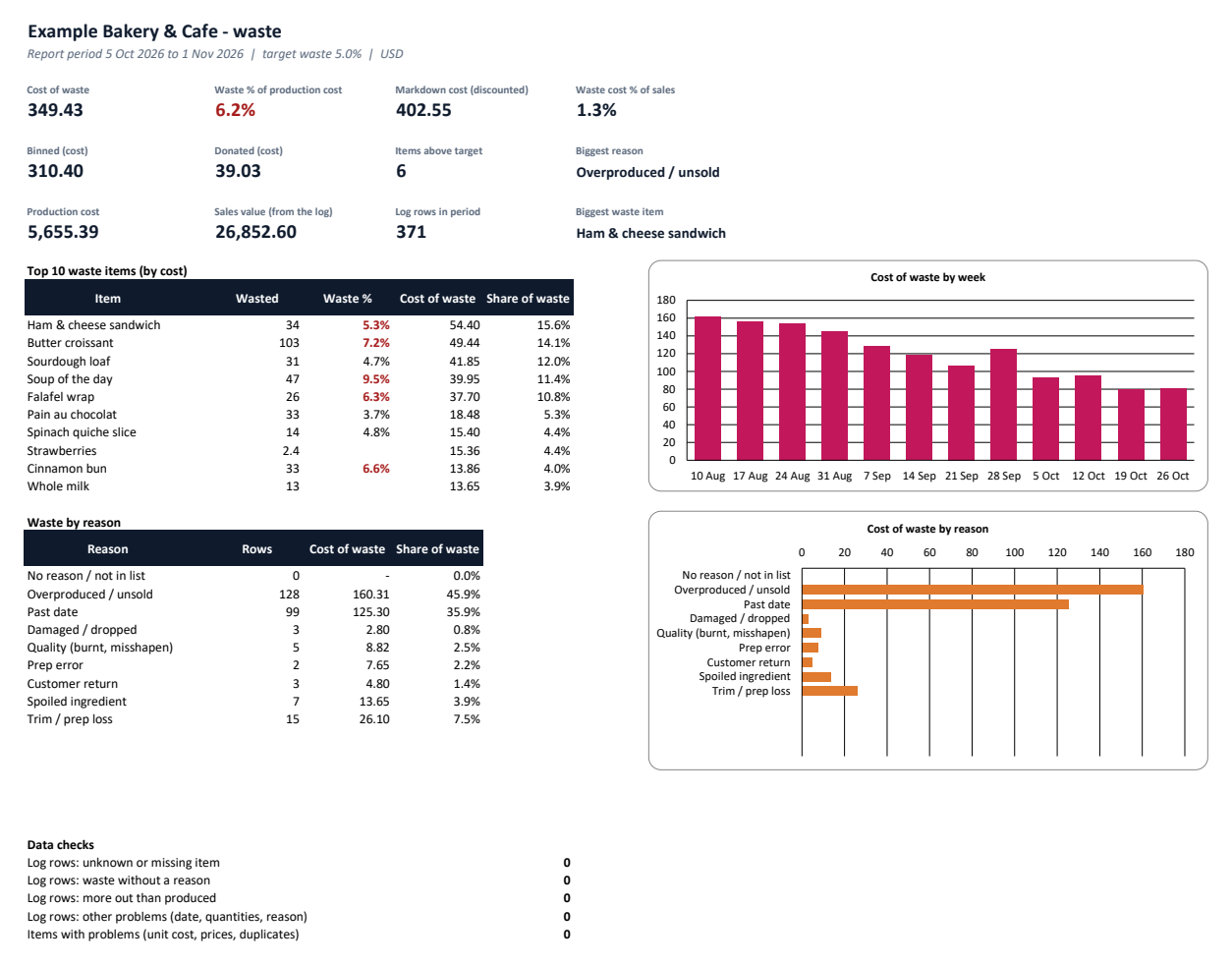
Cost of waste
Binned and donated at your unit cost, plus the markdown on discounted items.
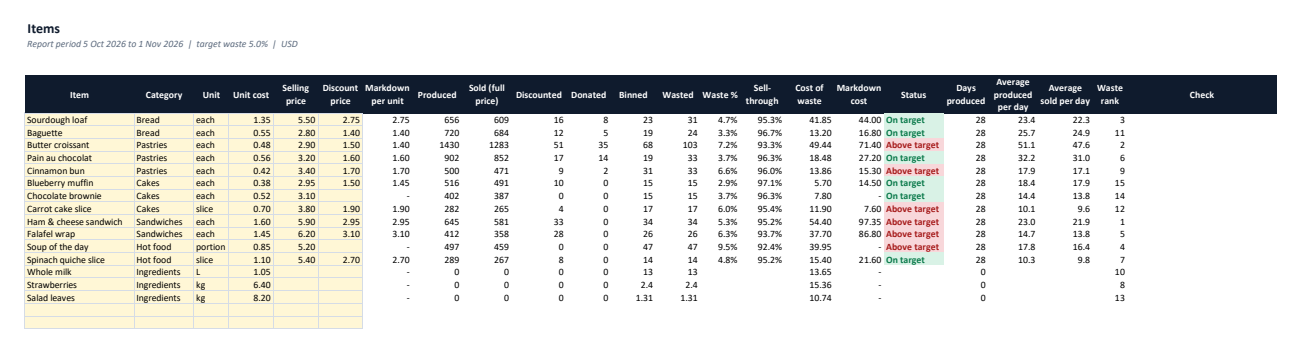
Waste % by item
Against your target, with sell-through and average produced vs sold per day.
Waste by reason
Rows, cost and share for each reason; biggest reason on the dashboard.
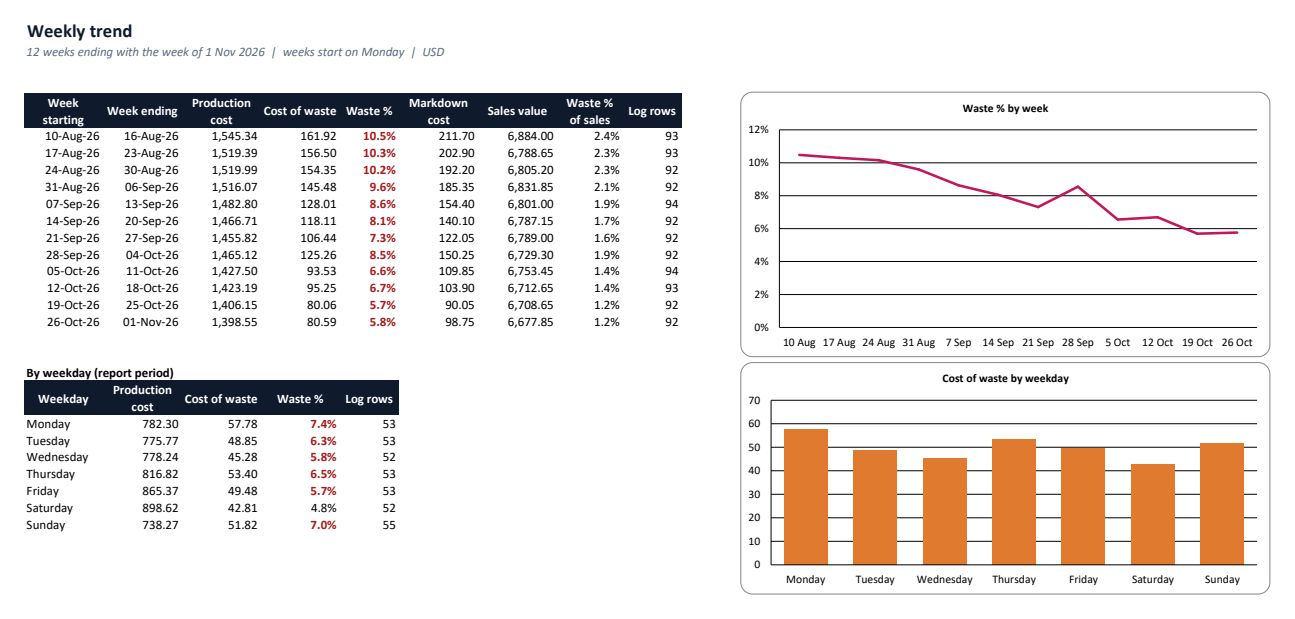
Weekly trend & top items
12-week waste % and cost, waste by weekday, top 10 waste items by cost.
Data checks
Unknown items, missing reasons or dates, more out than produced, missing unit costs.
See it before you buy
What's in the download
| WasteBook-Example.xlsx | Example workbook filled with sample data, to explore first |
| WasteBook-Blank.xlsx | Blank workbook, ready for your own data |
| README.txt | Setup and how-to guide |
| CHANGELOG.txt | Version history |
| LICENSE.txt | Licence terms |
Version 1.0.0. One ZIP file, no installer, nothing sent anywhere.
Why buy it instead of building it
Checked against an independent calculation
Before release, every formula is compared with a separate model, including edited data and deliberately bad entries.
Starts with a worked example
Open the Example workbook to see it filled in, then type your own numbers into the Blank one.
A person answers support email
Write to altaitoondev@gmail.com and get a reply within 2 business days. If it doesn't work as described, you get a refund within 30 days.
What you need
- Microsoft Excel 2010 or later
- Tested in Microsoft Excel for Windows (Microsoft 365)
- No macros or add-ins
- Google Sheets, LibreOffice and Numbers not tested
What it doesn't do
- A cost and production record only — no food-safety, temperature or labelling records.
- Unit costs are entered by you; recipe costing is not included (see MenuCost).
- One currency per file; up to 200 items and 5,000 log rows.
How buying works
- Pay onceCheckout by Polar. Card details never touch this site.
- Download straight awayThe download link appears after payment and arrives by email with your receipt.
- Open and use itOpen the Example workbook, then enter your own data in the Blank one.
Questions
Where do unit costs come from?
What one unit costs you to make or buy — if you use MenuCost, copy the cost per portion from its Menu sheet.
How do I log a spoiled ingredient?
Add a row with the ingredient, leave Produced blank and enter the binned quantity with a reason.
Does it check food safety?
No. WasteBook records quantities and costs only; it makes no food-safety or compliance checks.
What if it doesn't work for me?
Email altaitoondev@gmail.com within 30 days of purchase. We'll try to fix the problem first; if we can't, you get a full refund through the store you bought from.